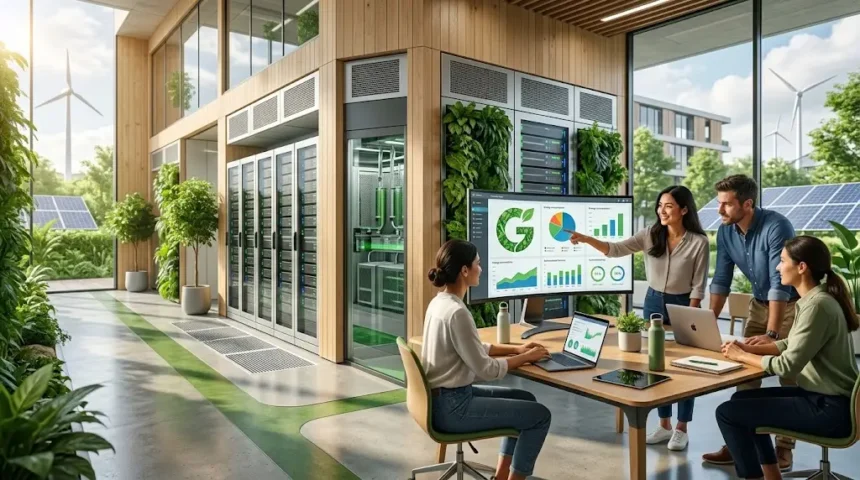
Green Computing: Benefits, Examples & Best Practices
Green computing is the practice of designing, using, managing, and disposing of computers and other technology in ways that reduce environmental impact without sacrificing the performance people and businesses need. It can involve choosing energy-efficient computers, extending device lifespans, optimizing servers, reducing unnecessary data storage, improving data center cooling, using renewable energy, and responsibly reusing or recycling electronics. The concept is sometimes called green IT, sustainable computing, or sustainable information technology, although these terms can include slightly different environmental priorities. At its core, green computing asks a practical question: how can we receive the benefits of digital technology while using less energy, wasting fewer materials, and managing equipment more responsibly throughout its lifecycle?
The topic has become increasingly important as cloud computing, artificial intelligence, streaming, connected devices, and data-intensive applications expand the digital infrastructure required to support everyday life. The International Energy Agency reported in 2025 that electricity supplied to data centers could rise from about 460 TWh in 2024 to more than 1,000 TWh by 2030 under its base-case projection. At the same time, replacing devices too frequently can increase demand for metals, plastics, energy-intensive manufacturing, and electronic waste management. Green computing therefore extends beyond switching off a monitor; it includes procurement, software efficiency, infrastructure design, device repair, cloud architecture, employee behavior, and responsible end-of-life management.
What Is Green Computing?
Green computing refers to environmentally responsible approaches to computing across the entire technology lifecycle. That lifecycle can begin with the design and manufacturing of hardware, continue through purchasing and daily operation, and eventually include reuse, refurbishment, recycling, or disposal. A green computing strategy therefore considers more than the electricity a laptop consumes while it is running. It may examine the materials used to manufacture the device, how long the equipment remains useful, whether components are repairable, how software influences energy consumption, and what happens after the device leaves the organization. Looking at technology this way helps businesses avoid focusing on one environmental metric while unintentionally creating larger impacts elsewhere in the product lifecycle.
Energy efficiency remains one of the most recognizable elements of sustainable computing because computers, monitors, networking equipment, servers, and storage systems require electricity throughout operation. Energy-efficient processors, power supplies, displays, and system configurations can reduce consumption while still providing sufficient performance for the user’s workload. ENERGY STAR states that certified computers use roughly 30–40% less energy than standard models through efficient components and improved energy management when systems are idle. Power management features such as automatic sleep and display timeout can reduce unnecessary consumption further when devices are left unused. The most effective approach matches computing power to real needs instead of buying unnecessarily powerful equipment that consumes additional resources without improving useful productivity.
Green IT also focuses on increasing the useful life of existing technology whenever doing so remains practical and secure. Upgrading memory, replacing storage, installing a new battery, improving software performance, or repairing a damaged component can sometimes keep a computer useful for several additional years. Extending equipment life can reduce the need for new manufacturing and delay the point at which another device enters the waste stream. However, organizations should balance longevity with security, supportability, reliability, and energy performance because keeping obsolete systems indefinitely can introduce other risks. Sustainable computing is therefore not simply about keeping every computer as long as physically possible; it involves making informed lifecycle decisions that consider environmental impact alongside operational requirements.
Resource efficiency is another important aspect because digital technology depends on physical materials even when users experience services as intangible. Computers, smartphones, servers, batteries, displays, and networking equipment contain metals, plastics, glass, semiconductors, and other materials that require extraction, processing, manufacturing, and transportation. EPA notes that electronic products contain valuable resources and that reuse or recycling can help conserve natural materials while reducing environmental impacts associated with manufacturing. Green computing therefore encourages organizations to purchase thoughtfully, repair where practical, reuse functional equipment, and work with appropriate recycling channels at the end of life. These decisions can reduce waste while extracting more value from equipment already manufactured.
Software also belongs within the green computing conversation because inefficient applications can increase processor usage, memory demand, network traffic, and storage requirements. A poorly optimized service running across thousands of servers can consume significantly more computing resources than a more efficient alternative performing the same business function. Developers can contribute to sustainable IT through efficient algorithms, sensible data retention, optimized databases, appropriate application architecture, and avoiding unnecessary background processing. Cloud teams can select right-sized computing resources instead of leaving oversized instances active indefinitely. Green computing is therefore not exclusively a hardware discipline; software engineering, data architecture, cloud operations, cybersecurity, procurement, and employee behavior can all influence the environmental footprint of digital services.
Why Green Computing Matters More Than Ever
The rapid growth of data centers has made energy efficiency increasingly important to organizations, governments, technology providers, and infrastructure planners. Data centers contain servers, storage systems, networking equipment, cooling systems, power infrastructure, and other technologies that may operate continuously throughout the year. The IEA estimates that servers account for around 60% of electricity demand in modern data centers on average, although actual shares vary considerably by facility and workload. Artificial intelligence adds another layer because many AI models rely on specialized accelerators and significant computing capacity for training and inference. As digital demand rises, improving efficiency can reduce the amount of energy required to deliver each unit of useful computing.
Business dependence on digital technology has also expanded beyond traditional office computers. Companies now operate cloud platforms, employee laptops, mobile devices, cybersecurity systems, video meetings, online storefronts, analytics platforms, customer databases, artificial intelligence services, and interconnected software applications. Each service may seem modest individually, but their combined infrastructure can create significant electricity, hardware, storage, and networking requirements. Green computing encourages organizations to examine the cumulative footprint of this technology rather than treating every new application or device as environmentally insignificant. It also encourages teams to remove unused resources, consolidate redundant systems, and select efficient architectures, which can reduce environmental impact while simplifying the technology environment.
Electronic waste represents another reason sustainable computing matters. Devices that are replaced unnecessarily can contribute to growing streams of discarded electronics containing materials that may still have economic value. EPA advises consumers to consider upgrading hardware or software before purchasing a completely new computer and recommends safe donation or recycling for electronics that are no longer needed. Extending product life, redeploying devices internally, donating functioning equipment, and using qualified recycling providers can reduce premature disposal. Organizations should also securely erase sensitive information before equipment leaves their control, since responsible electronics management must address data security as well as environmental concerns. Sustainability should strengthen asset management rather than creating a conflict with cybersecurity.
Cost pressure gives businesses another practical reason to care about green IT. Electricity, cooling, cloud computing, software licensing, hardware purchases, storage, and maintenance all create ongoing operating expenses, meaning inefficient computing can affect financial performance as well as sustainability targets. A server running at very low utilization may consume power, occupy rack space, require cooling, and incur licensing costs while providing relatively little useful work. Cloud resources that remain active after a project ends can similarly create recurring charges without delivering value. Green computing practices such as right-sizing, consolidation, automatic shutdown schedules, storage cleanup, and resource monitoring frequently reduce both energy use and avoidable spending, giving sustainability teams and finance teams a shared incentive.
Employee and customer expectations can also influence sustainable technology decisions, particularly as organizations publish environmental goals and procurement standards. A company that promotes sustainability publicly may face questions if its technology purchasing encourages frequent replacement, ignores energy efficiency, or lacks a responsible electronics disposal process. Sustainable IT provides a practical way to translate broader environmental commitments into everyday operational decisions. Procurement teams can incorporate efficiency and lifecycle criteria into tenders, IT teams can report resource utilization, and employees can receive guidance about power management and device care. Green computing works best when it becomes part of normal technology governance rather than remaining an isolated campaign that receives attention only around environmental reporting deadlines.
Benefits of Green Computing for Businesses and Users
Reduced energy consumption is one of the clearest benefits because efficient devices and well-configured systems can accomplish useful work with less electricity. On individual laptops the difference may appear relatively small, but savings become more meaningful when applied across hundreds or thousands of employee devices, monitors, servers, and network components. ENERGY STAR computer requirements address multiple operating states and include power-management expectations designed to reduce consumption during inactivity. Businesses can combine efficient procurement with automatic sleep settings and device management policies that prevent computers from remaining fully active unnecessarily. These measures usually require little behavioral change once configured centrally, making energy management one of the easier green computing practices to implement at scale.
Lower operating costs frequently accompany energy savings because organizations pay not only to power IT equipment but sometimes to remove the heat it generates. Data centers and server rooms require cooling, ventilation, power distribution, and backup systems that can consume additional electricity beyond the servers themselves. Reducing unnecessary computing capacity can therefore generate multiple layers of savings rather than reducing only the electricity consumed directly by processors. ENERGY STAR notes that improving data center efficiency can reduce energy waste and financial costs while supporting system performance. Even smaller companies can benefit through lower cloud bills, fewer unnecessary devices, reduced storage growth, and longer replacement cycles when sustainable IT decisions are integrated with technology budgeting.
Longer hardware lifecycles can improve return on technology investments when equipment continues meeting security and performance requirements. Replacing every employee laptop on an unnecessarily short fixed schedule can consume budget and increase the volume of equipment requiring resale, donation, refurbishment, or recycling. A condition-based approach can determine whether particular devices genuinely need replacement based on battery health, repair history, software requirements, security support, and employee workload. Some users may need newer high-performance equipment while others can remain productive with older systems after modest upgrades. By treating device lifespan as a management decision rather than an automatic calendar event, organizations can reduce waste while directing technology spending toward employees and systems where upgrades create measurable value.
Green computing can also simplify IT environments because efficiency often requires organizations to identify resources that no longer provide useful value. Removing unused cloud instances, duplicate applications, abandoned storage volumes, outdated virtual machines, and unnecessary data can reduce both resource consumption and administrative complexity. Fewer systems may mean fewer security patches, licenses, backups, monitoring alerts, and access permissions requiring ongoing attention. This relationship between sustainability and operational discipline is especially valuable because it means green IT does not always require adding new technology. Sometimes the most sustainable action is removing digital infrastructure that nobody needs, provided the organization checks retention requirements, dependencies, and business ownership before deletion.
Environmental benefits extend beyond electricity by reducing demand for new equipment and encouraging responsible treatment of existing electronics. Reuse can keep functioning devices productive, while certified recycling processes can help recover useful materials from hardware that can no longer serve its original purpose. EPA specifically states that preventing waste and reusing functioning electronics are preferable to immediately sending equipment into the waste-management stream. Organizations can build these principles into asset management by tracking equipment from acquisition through redeployment and eventual disposition. When combined with efficient procurement and secure data handling, this lifecycle approach helps businesses reduce waste without compromising reliability, privacy, or the technology experience employees require.
Real-World Green Computing Examples
Power management on employee computers is a simple example of green computing that can be implemented without redesigning an entire IT environment. Organizations can configure operating systems so screens turn off after reasonable inactivity and devices enter low-power sleep states when employees are not using them. ENERGY STAR’s current computer criteria include requirements related to efficient operation in off, sleep, and idle modes, with power management forming an important part of certification. Central device-management platforms can enforce appropriate settings across large fleets instead of relying entirely on individual employees to remember them. Exceptions can be created for systems that genuinely need continuous operation, ensuring that energy efficiency does not interrupt critical business tasks.
Server virtualization provides another common green computing example by allowing multiple virtual servers to share the resources of fewer physical machines. Traditional environments sometimes operated many lightly utilized servers, each consuming electricity and requiring cooling even when performing little work. Consolidating compatible workloads can increase hardware utilization and allow unnecessary physical systems to be retired. ENERGY STAR specifically recommends consolidating lightly used servers as one method for reducing energy waste in data center IT infrastructure. Virtualization also supports easier workload migration and provisioning, although organizations should still prevent virtual machine sprawl because creating hundreds of unused virtual servers can recreate inefficiency at the software layer rather than the hardware layer.
Cloud resource right-sizing is a modern version of the same principle. Teams sometimes select large virtual machines, databases, or storage tiers during deployment because they want enough capacity for future demand, then never adjust those resources when actual utilization remains much lower. Cloud monitoring can identify persistently underused instances and help teams move workloads onto smaller resource profiles without affecting performance. Development and test environments can also be scheduled to shut down automatically outside working hours when continuous availability is unnecessary. Sustainable cloud computing therefore focuses on matching computing capacity to workload demand rather than assuming cloud infrastructure is environmentally efficient simply because the customer cannot see the physical data center supporting it.
Remote work and digital collaboration can also contribute to a green computing strategy when implemented thoughtfully, although their environmental effect depends on the broader situation. Video conferencing, cloud document collaboration, secure remote access, and electronic approval workflows can reduce some travel, paper use, and commuting associated with traditional work patterns. However, digital services themselves consume energy, and home-office equipment can create additional device demand, so the environmental benefit should not be exaggerated without evidence. The more useful lesson is that information technology can substitute for certain physical activities when the digital alternative is operationally sensible. Green computing evaluates these tradeoffs instead of assuming either physical or digital processes are automatically more sustainable.
Device refurbishment and redeployment provide another practical example. A high-performance laptop used by a designer or engineer may become insufficient for that employee after several years but remain perfectly capable for administrative tasks, training rooms, temporary staff, or less demanding workloads. IT departments can securely wipe, reconfigure, and redeploy functioning devices rather than disposing of them immediately after the original assignment ends. Equipment that remains functional but no longer fits organizational requirements may also be suitable for donation or resale where policies permit. EPA encourages reuse and donation because extending the useful life of electronics keeps valuable products out of the waste stream longer.
Green Computing in Data Centers and Cloud Environments
Data centers deserve particular attention because they concentrate large quantities of computing equipment in facilities that operate continuously. Servers, storage, networking devices, cooling systems, uninterruptible power supplies, and electrical distribution equipment all contribute to total consumption. Improvements can therefore occur both inside the IT equipment and within the supporting facility infrastructure. ENERGY STAR notes that data center efficiency initiatives can address hardware, airflow, cooling, power infrastructure, and IT solutions rather than relying on one intervention. Organizations should measure utilization and energy performance so they can identify whether inefficient servers, poor cooling configuration, unnecessary storage, or other factors are responsible for the greatest opportunities.
Server utilization is a key consideration because a physical server can consume meaningful power even when its processors are doing relatively little useful work. Consolidation, virtualization, containerization, and workload scheduling can help organizations make better use of deployed computing capacity while reducing the number of underutilized systems. ENERGY STAR states that certified enterprise servers use about 30% less energy than conventional models and highlights power management as an important efficiency feature. Procurement therefore matters when replacing unavoidable hardware, but buying efficient servers is only part of the answer. Efficient equipment that remains almost entirely unused still represents wasted capacity, so utilization and workload placement should be managed alongside hardware specifications.
Cooling optimization can generate substantial benefits because servers convert much of the electricity they consume into heat that must be removed. Poor airflow may cause hot and cold air to mix, forcing cooling systems to work harder than necessary while some server racks still experience temperature problems. Data center operators can use containment, appropriate rack layouts, blanking panels, airflow management, environmental sensors, and cooling set-point optimization to improve efficiency. The correct design depends on the facility and equipment density, so organizations should avoid applying one configuration blindly to every site. Monitoring temperature and airflow allows teams to make evidence-based changes while protecting reliability, since reducing cooling too aggressively can increase equipment failures and undermine the sustainability benefits.
Cloud computing can support green IT by improving infrastructure utilization and allowing workloads to scale with demand, but cloud adoption alone does not guarantee sustainable computing. Customers can still waste resources by running oversized instances, storing redundant information indefinitely, using inefficient software, or duplicating environments without a business reason. Cloud providers may offer carbon information, efficient hardware, renewable-energy commitments, serverless computing, autoscaling, and other tools that support sustainability goals, but customers remain responsible for architecture and resource consumption. Teams should therefore include cost, performance, security, and environmental efficiency when reviewing cloud usage. The same FinOps practices that identify unnecessary spending can often reveal resources that consume infrastructure without delivering corresponding business value.
Artificial intelligence makes data center efficiency even more relevant because AI workloads often use power-dense accelerators and large amounts of computing capacity. The IEA’s 2025 Energy and AI report highlights the growing relationship between AI adoption and electricity demand from data centers, making efficiency an increasingly important consideration as deployment expands. Organizations can improve efficiency by selecting appropriately sized models, avoiding unnecessary repeated training, using efficient inference methods, scheduling workloads intelligently, and determining whether every problem actually requires a resource-intensive AI solution. Sustainable AI does not mean rejecting valuable technology; it means considering energy and infrastructure requirements alongside accuracy, speed, cost, privacy, and business outcomes when designing AI systems.
Green Computing Best Practices for Businesses and Individuals
The first best practice is to measure before trying to improve. Businesses should understand how many devices they operate, how frequently they replace them, which servers remain underused, how much cloud infrastructure is provisioned, and where large storage or energy demands occur. Without baseline information, sustainability programs can focus heavily on visible behaviors such as turning off office monitors while ignoring much larger sources of technology consumption elsewhere. IT asset management, cloud cost tools, endpoint management systems, data center monitoring, and electricity measurements can provide useful information depending on organizational size. The objective is not perfect environmental accounting from the first day but enough visibility to prioritize actions that produce meaningful results.
Power management should be enabled by default wherever it does not interfere with operational requirements. Employee desktops, laptops, and monitors can enter sleep or low-power states automatically after reasonable periods of inactivity, while servers can use processor power-management capabilities where workload requirements permit. Users should also close resource-intensive applications when they are no longer needed rather than leaving unnecessary tasks running continuously in the background. ENERGY STAR emphasizes power-management functionality as an important element of computer and server efficiency. Centrally managed settings are usually more reliable than asking every employee to configure devices independently, although IT should provide exceptions for specialized systems that require constant operation.
Organizations should also design refresh programs around actual needs rather than treating replacement cycles as inflexible deadlines. Asset records can track age, warranty status, battery condition, repair history, operating system support, and performance so IT teams can determine which devices genuinely need replacement. Where practical, memory or storage upgrades can extend the life of equipment that remains secure and reliable. Older high-performance devices can sometimes move into less demanding roles before leaving the organization completely. This approach reduces unnecessary purchasing while ensuring employees who genuinely need more powerful equipment still receive it. Sustainability works best when lifecycle extension improves resource use without forcing workers to tolerate unreliable systems that reduce productivity.
Data management deserves attention because storing information has an infrastructure cost even when additional files appear almost free to individual users. Organizations can establish retention policies that distinguish records that must be preserved from temporary data that no longer provides business value. Duplicate files, obsolete backups, abandoned project datasets, unused snapshots, and unnecessary log retention can accumulate across storage platforms over time. Cleaning them carefully can reduce storage growth and simplify data governance, although deletion should always respect legal, regulatory, security, and business requirements. Efficient storage technologies such as deduplication and tiering can also reduce infrastructure demand, and ENERGY STAR highlights efficient data storage measures as one opportunity to reduce data center waste.
Education should support technical controls rather than attempting to replace them. Employees can learn why device care, responsible printing, power management, and correct electronics disposal matter, but organizations should automate good defaults whenever possible. IT teams can automatically configure sleep settings, procurement can require sustainability criteria, and asset management can ensure equipment enters an approved disposition process when retired. Employees then need only understand the behaviors they genuinely control, such as reporting damaged devices early instead of allowing small repairable issues to become major failures. A people-first green computing program avoids guilt-based messaging and instead makes sustainable choices convenient, practical, and compatible with the real work employees need to accomplish.
Sustainable Hardware, Procurement, and E-Waste Management
Sustainable procurement begins before equipment enters the organization. Buyers can consider energy efficiency, expected lifespan, warranty support, repairability, replaceable components, packaging, manufacturer programs, and recognized environmental criteria alongside price and technical performance. ENERGY STAR certification can help identify more efficient computers and data center equipment, while EPEAT provides sustainability criteria covering areas including climate change mitigation, circular use of resources, chemicals of concern, and responsible supply chains. EPEAT 2.0 currently applies criteria across product categories including computers and displays, imaging equipment, mobile phones, servers, and televisions. Procurement teams can use these frameworks as inputs rather than inventing sustainability requirements entirely from scratch.
Buying the right amount of computing power is another sustainable procurement practice. A high-end workstation with a powerful graphics processor may be essential for an engineer, animator, researcher, or AI developer, while the same configuration could be unnecessary for someone who primarily works in email and cloud documents. Standardizing several device profiles according to role can help organizations avoid overprovisioning while maintaining an appropriate employee experience. Smaller, efficient hardware may use fewer materials and less electricity while also costing less to purchase. However, purchasing equipment that is too weak can shorten its useful life if workloads outgrow the device quickly, so green procurement should consider anticipated requirements over several years rather than choosing the lowest-power device automatically.
Repairability and upgradeability can influence how long hardware remains useful. Batteries, memory, storage drives, keyboards, displays, and other components may eventually fail or become inadequate even when the rest of the device remains functional. Products that allow economically sensible replacement of these components can sometimes remain productive significantly longer than hardware designed around difficult or costly repairs. Organizations should compare repair costs with replacement costs and consider downtime, warranty implications, security requirements, and employee needs before making decisions. Maintaining a relationship with qualified repair providers can also prevent minor hardware problems from automatically triggering replacement. Sustainable computing favors extending product life where practical while recognizing that repair is not always economically or technically appropriate.
When equipment reaches the end of its organizational use, data security should come before donation, resale, or recycling. Storage devices may contain customer information, employee records, credentials, intellectual property, or confidential business documents that should not leave the company’s control in recoverable form. IT teams should follow appropriate data sanitization processes and maintain records where organizational policies require them. Functional devices may then be redeployed, resold, donated, or refurbished, while hardware that can no longer be used should enter an appropriate recycling process. EPA notes that lithium-ion batteries and devices containing them should not be placed in ordinary household garbage or recycling bins, highlighting the importance of using appropriate collection methods.
Organizations that recycle larger volumes of electronics can also evaluate the qualifications of recycling partners. EPA currently identifies R2 and e-Stewards as third-party certification programs relevant to electronics recyclers and provides information for finding certified recycling services. A responsible disposition program should consider data security, downstream handling, battery safety, environmental practices, documentation, and legal requirements rather than selecting a recycler solely on collection price. Keeping asset records through final disposition can help organizations demonstrate that retired technology followed approved processes. Green computing therefore extends beyond purchasing environmentally preferable devices; it requires managing technology responsibly from acquisition through final reuse or recycling.
Challenges of Green Computing and How to Build a Practical Strategy
One challenge is that sustainability objectives can conflict with other legitimate technology priorities if decisions are oversimplified. Keeping an old server running may avoid manufacturing a replacement temporarily, but the system could consume significantly more energy, lack security updates, fail more frequently, or deliver poor performance. Replacing it with efficient equipment may therefore be the better lifecycle decision despite the environmental cost of manufacturing new hardware. Similar tradeoffs exist between local computing and cloud services, repair and replacement, or high performance and reduced energy use. Green computing should evaluate complete business and lifecycle consequences rather than relying on slogans such as “never replace equipment” or “move everything to the cloud.”
Measurement can also be difficult because digital services involve complicated supply chains and shared infrastructure. A business may know the electricity used inside its own office but have much less visibility into the manufacturing footprint of devices or the infrastructure supporting a SaaS application. Cloud providers may offer sustainability information at varying levels of detail, while hardware lifecycle data can depend on assumptions about manufacturing, transportation, electricity sources, and product longevity. Organizations should avoid claiming overly precise environmental benefits when their data cannot support them. It is often better to track practical indicators such as device lifespan, certified procurement, electricity consumption, server utilization, cloud resource waste, and responsible recycling while gradually improving measurement quality.
Upfront costs can create another barrier because efficient equipment, monitoring tools, repairs, or environmentally preferable products may sometimes cost more initially. Decision-makers should therefore consider total cost of ownership rather than comparing purchase prices alone. A more efficient server may reduce electricity and cooling costs, while a repairable laptop could avoid an early replacement and a properly right-sized cloud architecture can reduce recurring charges. ENERGY STAR reports that certified servers can reduce energy use substantially compared with conventional models, illustrating why operational costs matter alongside acquisition price. Financial analysis gives sustainable IT proposals a stronger business case when environmental benefits align with measurable savings over the equipment’s useful life.
Organizational ownership can be another challenge because no single department controls the entire technology lifecycle. Procurement chooses suppliers, IT manages equipment, facilities may pay electricity bills, finance controls budgets, security sets data-handling requirements, software teams determine application efficiency, and employees influence everyday usage. A green computing program therefore needs shared governance rather than placing every responsibility on one sustainability manager. Organizations can assign measurable responsibilities to each function, such as sustainable purchasing standards for procurement and resource-utilization reviews for cloud teams. Executive support helps resolve competing priorities, while regular reporting prevents the initiative from disappearing after an initial awareness campaign.
A practical strategy should begin with a small number of high-impact initiatives and expand as the organization develops better data. A company might first enable power management, establish an asset lifecycle process, remove clearly unused cloud resources, introduce sustainable procurement requirements, and create a secure recycling program. Larger organizations can then add data center efficiency measures, software optimization, carbon-aware workload planning, advanced lifecycle analysis, and supplier reporting. Targets should be specific enough to measure, such as extending average laptop lifespan or increasing the percentage of approved devices meeting recognized efficiency criteria. Green computing becomes sustainable itself when it evolves into ordinary technology management rather than depending on occasional projects or individual enthusiasm.
Frequently Asked Questions
What is green computing in simple words?
Green computing means using computers and other technology in ways that reduce energy use, waste, and unnecessary consumption of physical resources. It includes energy-efficient equipment, longer device lifespans, optimized software and infrastructure, responsible reuse, and proper electronics recycling.
What are examples of green computing?
Examples include enabling automatic sleep on computers, using energy-efficient hardware, consolidating underused servers, right-sizing cloud resources, extending laptop lifespans through repairs, reducing unnecessary data storage, and donating or responsibly recycling retired electronics. Data center cooling optimization and virtualization are also common examples.
What are the main benefits of green computing?
Green computing can reduce electricity consumption, technology costs, electronic waste, and unnecessary hardware purchases while improving resource efficiency. It can also support broader sustainability goals and encourage better asset, cloud, and data management practices.
How can businesses implement green computing?
Businesses can start by measuring technology usage, enabling power management, purchasing efficient equipment, optimizing cloud and server utilization, extending hardware lifecycles where practical, managing data retention, and creating secure reuse and recycling procedures. Sustainable criteria can also be incorporated directly into technology procurement policies.
Is cloud computing considered green computing?
Cloud computing can support green computing when shared infrastructure, efficient data centers, autoscaling, and workload consolidation reduce resource waste. However, cloud services are not automatically sustainable, because oversized instances, unnecessary storage, inefficient software, and unused resources can still consume substantial computing capacity.