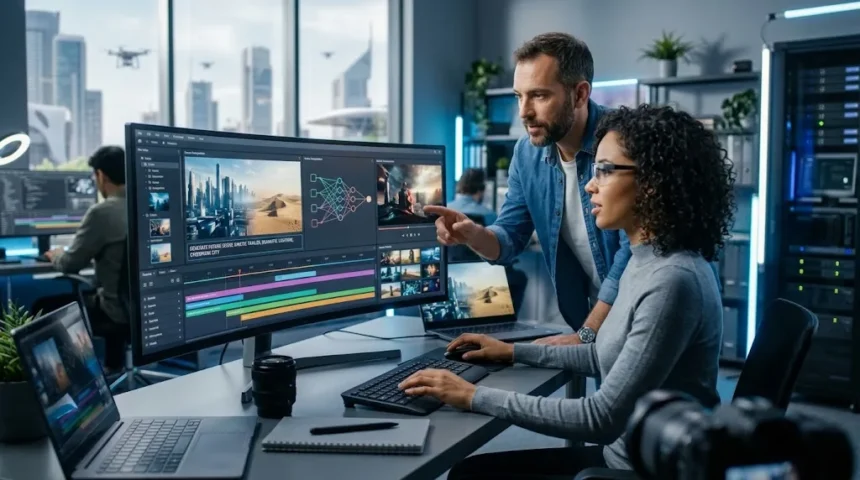
AI video generators are tools that create or edit video using artificial intelligence. Depending on the platform, users can turn text prompts, images, scripts, documents, or existing footage into moving scenes. Modern systems can generate cinematic clips, talking avatars, marketing videos, training content, product demonstrations, and social media videos without requiring a traditional film crew.
These tools use generative AI models trained to understand motion, visual composition, language, objects, and relationships between frames. A creator may describe a scene in ordinary language and receive a short video based on those instructions. More advanced platforms also provide editing, voice, sound, reference images, character consistency, and tools for extending or modifying generated footage.
AI video generation is especially valuable for creators and businesses that need more visual content without increasing production time dramatically. However, no platform is perfect for every workflow. Some are stronger for cinematic generation, while others focus on avatars, presentations, social content, or professional editing, making the right choice dependent on your specific project.
Runway: Best Overall AI Video Platform
Runway remains one of the strongest options for creators who want AI generation and editing inside one professional creative environment. Its current creative platform combines video, image, and audio tools rather than treating generation as an isolated feature. This makes it useful for filmmakers, advertisers, designers, agencies, and content teams managing more complete production workflows.
Creators can generate visual concepts, edit footage, experiment with motion, and move between several media types without constantly exporting files to different services. Runway also provides advanced video models and development tools for teams that want to build AI media into larger workflows. The result is a platform that suits both individual creators and professional production environments.
Runway is especially attractive when you want more creative control than simple prompt-to-video applications provide. The learning curve may be higher for beginners because the platform includes several tools and workflows. However, creators producing frequent campaigns or cinematic content can benefit from having generation, editing, and experimentation available within the same ecosystem.
Google Flow: Best for Cinematic AI Filmmaking
Google Flow is designed as an AI filmmaking environment that combines Google’s video generation models with tools for creating, refining, and organizing scenes. In 2026, Flow includes increasingly advanced controls for generating and editing video, including start and end frames and higher-resolution production workflows.
Google’s Veo family supports realistic motion, stronger prompt adherence, reference-based generation, and audio capabilities. Veo 3.1 also introduced native vertical video generation and higher-resolution options useful for social and professional production. These features make Flow especially interesting for creators who want to build scenes rather than simply generate one disconnected clip.
The platform is best suited to filmmakers, visual storytellers, advertising creatives, and teams experimenting with cinematic AI content. Beginners may still need time to understand how references, scene control, and editing choices affect continuity. Once those concepts become familiar, Flow can provide much more control than basic one-prompt video generators.
Adobe Firefly: Best for Professional Creative Workflows
Adobe Firefly is a strong option for creators already working inside Adobe’s design and editing ecosystem. Its video capabilities allow users to generate footage and move generated media into a timeline-based editing workflow. Adobe’s Firefly video editor also allows users to generate video without leaving the editing environment, making experimentation more convenient during production.
This integrated approach is valuable for designers, marketing teams, and professional editors who do not want AI generation separated from the rest of their creative process. A creator can generate visual material, place it into an existing sequence, and continue refining the project using familiar editing tools rather than treating AI output as the final finished product.
Firefly makes particular sense for professionals who already rely on Adobe software for commercial work. A standalone generator may provide faster experimentation, but Adobe’s advantage is workflow continuity. When generated footage needs further editing, branding, compositing, or integration with traditional production assets, having AI inside a broader professional ecosystem can save considerable time.
HeyGen: Best for Avatar and Business Videos
HeyGen is especially useful for businesses and creators that need presenter-style videos without repeatedly filming a person on camera. Users can start from a script or creative idea and build videos containing avatars, voiceovers, B-roll, captions, and other elements. Its Video Agent can also coordinate several production steps from a single description.
This makes HeyGen valuable for product demonstrations, sales videos, social content, internal announcements, onboarding, localization, and educational material. Businesses can create presenter-led content more quickly than arranging cameras, lighting, speakers, and repeated studio sessions whenever a script changes or another language version is needed.
Avatar video works best when the format matches the message. A short explainer or employee training video may suit a digital presenter perfectly, while an emotional brand film may still benefit from traditional filmmaking. Businesses should choose AI avatars because they simplify a genuine production problem rather than automatically replacing every human presenter.
Synthesia: Best for Training and Corporate Videos
Synthesia is particularly strong for structured professional content such as employee training, onboarding, education, internal communication, and business presentations. Users can begin with a prompt, script, document, or URL and create videos combining avatars, voiceovers, scenes, and supporting visuals. The platform also supports more cinematic generated B-roll alongside presenter-led content.
This workflow can dramatically simplify updates to training material. If a policy or software interface changes, teams can revise the script and regenerate the affected content rather than organizing another recording session. Organizations producing many instructional videos can therefore maintain larger content libraries with less dependence on studios and production schedules.
Synthesia is less focused on experimental filmmaking than platforms such as Runway or Flow. Its strength is predictable business communication and scalable presenter-led video. Companies that regularly create training, compliance, product education, or internal knowledge content may find that consistency more valuable than highly artistic generative effects.
Pika: Best for Fast Creative and Social Video
Pika is a useful choice for creators who want quick, playful AI video generation and experimental effects. Its current platform supports AI video creation, creative workflows, agents, and visually dramatic transformations. Pika’s video experience also emphasizes effects that can turn ordinary images into attention-grabbing animated content suitable for social media.
This makes Pika appealing to short-form creators who value experimentation more than traditional production structure. A single photo can become an unusual animated scene, allowing users to explore ideas that would be difficult or expensive to reproduce physically. The platform can therefore work well for memes, promotional clips, visual experiments, and social trends.
Creators should still think beyond effects alone. A surprising transformation may attract attention once, but repeatable audience growth requires ideas, storytelling, and recognizable creative direction. Pika is most powerful when its fast visual experimentation supports a clear concept rather than becoming the entire purpose of every piece of content.
Luma Dream Machine: Best for Visual Experimentation
Luma Dream Machine is another popular option for creators interested in generating cinematic movement from prompts and images. It is especially useful for experimenting with visual ideas before investing time in a larger production. Creators can explore scene composition, camera movement, environments, and imaginative concepts much faster than building every idea manually.
The platform can serve as a visual prototyping tool for filmmakers, advertisers, designers, and social creators. Instead of explaining a concept only through a storyboard or static image, teams can create moving examples that help communicate how a finished scene might feel. This can make early creative discussions more productive and concrete.
As with other generative video platforms, consistency across several scenes can require additional work. Characters, objects, lighting, or physical details may change unexpectedly between generations. Creators should therefore treat AI-generated footage as material that may require selection, regeneration, editing, and traditional post-production before it becomes part of a polished final video.
How AI Video Generators Use Voice and Audio
Video is more persuasive when visuals and sound work together, which is why voice generation has become an important part of many AI video workflows. Platforms can combine synthetic narration, dialogue, music, sound effects, and captions with generated visuals. This reduces the number of separate production stages required to move from a written idea to finished multimedia content.
Creators who need more specialized narration can also combine video platforms with dedicated AI voice generators. A dedicated voice tool may provide greater control over tone, speaker style, language, or narration than the built-in voice features of a general video generator, especially for long-form educational or commercial projects.
Audio still deserves careful review before publishing. Mispronounced names, unnatural pauses, incorrect emphasis, or badly timed dialogue can make impressive visuals feel unprofessional. Generate short samples first, refine the script, and then synchronize the strongest voiceover with the final scenes rather than assuming the first automated narration will sound completely natural.
How to Choose the Best AI Video Generator
Start by defining the type of video you create most often. Runway or Flow may suit cinematic creators, while HeyGen and Synthesia are better aligned with avatar-led business content. Pika can work well for experimental short-form visuals, while Adobe Firefly is attractive when AI footage needs to move directly into a broader professional editing workflow.
Next, evaluate prompt control, video quality, consistency, audio, editing features, output resolution, speed, pricing, and commercial usage requirements. Test several tools using the same creative brief rather than relying on promotional demonstrations. A platform should consistently produce useful material for your actual workflow, not simply one impressive showcase clip.
Do not assume you need subscriptions to every major platform. Different services increasingly overlap in text-to-video, image animation, editing, and audio capabilities. Begin with one tool that solves your main production challenge, then add another platform only when you repeatedly encounter a limitation that affects your ability to create the type of content you need.
Tips for Getting Better AI-Generated Videos
Strong prompts explain more than the subject. Describe the environment, camera angle, lighting, movement, mood, composition, and action you want to see. Instead of requesting “a car driving through a city,” explain the type of car, weather, time of day, camera movement, street environment, and overall cinematic atmosphere you want the model to create.
Reference images can also improve control when the platform supports them. They help communicate character appearance, visual style, objects, or environments more clearly than words alone. For multi-scene projects, consistent references and carefully planned prompts can reduce unwanted changes between clips and make separate generations feel more connected when edited together.
Generate shorter experimental clips before spending credits or time on final-resolution outputs. Test the concept, evaluate motion, and identify problems with framing or character behavior first. Once the composition works, create the higher-quality version and complete traditional editing, sound, transitions, captions, and color adjustments as needed for the final project.
Risks and Limitations of AI Video Generation
AI-generated video can still contain visual mistakes. Objects may change shape, physical movements can behave strangely, backgrounds may shift, and characters can become inconsistent between frames or scenes. Quality has improved dramatically, but creators should inspect every clip carefully rather than assuming realistic-looking footage automatically follows real-world physics or continuity.
Copyright, likeness, misinformation, and consent also deserve serious consideration. Creating realistic videos of identifiable people without permission can lead to ethical and legal concerns, particularly when viewers could believe the footage is genuine. Businesses should establish clear rules around synthetic media before using generated people, voices, brands, or copyrighted visual material commercially.
Production cost is another limitation because high-quality generation may require repeated attempts. A ten-second usable clip might involve several unsuccessful generations before the desired result appears. Creators should therefore compare AI costs with the time and resources saved rather than assuming generative video is automatically cheaper than every traditional production method.
Conclusion
AI video generators in 2026 provide creators with very different ways to produce visual content. Runway and Google Flow offer advanced generative filmmaking capabilities, Adobe Firefly fits professional creative workflows, HeyGen and Synthesia specialize in presenter-led business content, while Pika and Luma support fast experimentation and imaginative visual generation.
The best platform depends on what you are trying to create. Cinematic storytelling, corporate training, advertisements, social media, product demonstrations, and visual prototyping all require different strengths. Testing the same project across several tools can quickly reveal whether you need creative control, avatar consistency, integrated editing, realistic motion, or simply faster production.
AI video generation can dramatically shorten the distance between an idea and a moving visual, but creative judgment remains essential. Strong prompts, good scripts, careful editing, responsible use, and human quality control still determine whether the final video is actually worth watching. Treat AI as a production accelerator rather than a replacement for thoughtful storytelling.
FAQs
What is the best AI video generator in 2026?
Runway is a strong all-around choice for creative video generation and editing, while Google Flow is powerful for cinematic workflows. HeyGen and Synthesia are better options when presenter-led business videos are the main requirement.
Which AI video generator is best for beginners?
HeyGen, Synthesia, and Pika can be approachable because they simplify much of the generation process. The easiest choice depends on whether you want avatar videos, structured business content, or short creative visual clips.
Can AI generate a complete video from text?
Yes. Some AI platforms can turn prompts or scripts into scenes, narration, avatars, captions, and supporting visuals. However, professional results usually still benefit from human review, editing, and refinement before publication.
Can I use AI-generated videos commercially?
Commercial usage depends on the platform, plan, source material, and applicable licensing terms. Creators should review current usage policies and ensure they have rights to any people, voices, brands, or assets included.
Will AI video generators replace traditional video editing?
AI will automate many production tasks, but traditional editing remains valuable for pacing, storytelling, sound, continuity, branding, and creative control. The strongest workflows increasingly combine generated footage with human-led editing and direction.