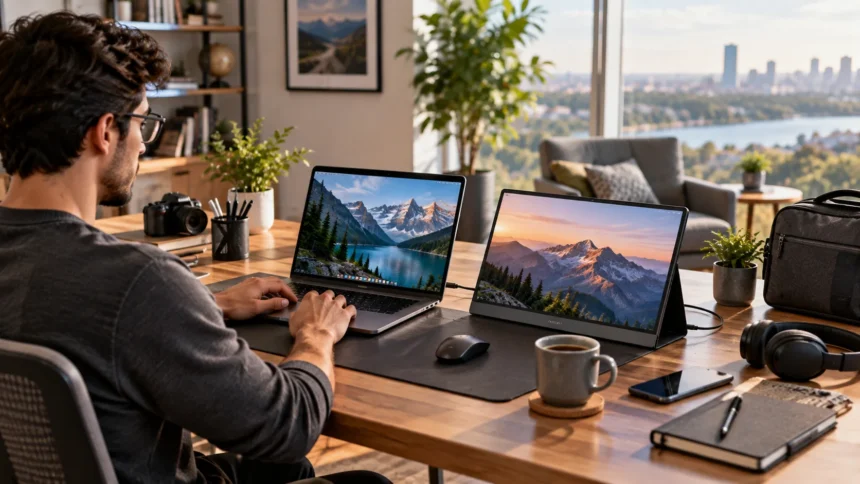
Remote work becomes much easier when you have enough screen space to manage documents, meetings, research, communication, and daily tasks without constantly switching between windows. The best portable monitors for remote work provide a second display without requiring a permanent desk setup. They are lightweight, easy to connect, and convenient for home offices, coworking spaces, hotels, or frequent travel.
Portable displays now come in many sizes, resolutions, and panel types, including traditional IPS screens, touch-enabled models, and premium OLED displays. Some prioritize portability, while others focus on color quality, larger workspaces, or flexible connectivity. Choosing the right portable monitor means balancing screen quality, weight, ports, power requirements, and the type of work you perform every day.
What to Look for in a Portable Monitor for Remote Work
Screen size should be one of your first considerations when comparing portable monitors. Displays around 14 to 16 inches usually offer a comfortable balance between usable workspace and portability. A smaller model fits easily into a laptop bag, while a larger screen gives spreadsheets, browser tabs, presentations, and communication tools more room without making text feel cramped.
Resolution matters just as much as physical size. Full HD remains sufficient for many remote workers because it provides sharp text while keeping costs and power requirements manageable. Higher-resolution displays can offer additional detail for designers, photographers, developers, and anyone who frequently works with dense documents, although higher resolutions may require more power from the connected laptop.
Connectivity is another major factor because not every laptop handles external displays in exactly the same way. USB-C is particularly convenient when one cable can carry video and power, while HDMI support provides additional compatibility with older computers and other devices. A sturdy stand, protective cover, adjustable brightness, and low overall weight can also make everyday mobile use considerably more comfortable.
MSI Pro MP165 E6 for Everyday Remote Productivity
The MSI Pro MP165 E6 is a practical option for remote professionals who want straightforward extra screen space without turning their travel setup into something complicated. Recent 2026 testing highlighted it as a strong general-purpose portable monitor for office and study use, with a 15.6-inch format designed around everyday productivity.
A screen of this size works well beside most modern laptops because it provides enough room for email, project management platforms, messaging apps, reference documents, and browser windows. Instead of repeatedly minimizing applications, users can keep important information visible while working on their main laptop display. That can make multitasking feel much more natural during a busy remote workday.
This type of monitor is best suited to professionals who value simplicity over specialized creative or gaming features. Writers, marketers, virtual assistants, analysts, students, and general office workers can benefit from the expanded workspace. When choosing it, consider how comfortably the monitor fits into your travel bag and whether its available connections match the laptop you use regularly.
ASUS ZenScreen MB16AHV for Flexible Workspaces
The ASUS ZenScreen MB16AHV is designed for people who regularly move between different working environments. It combines a portable 15.6-inch Full HD display with USB-C and mini-HDMI connectivity, giving users more flexibility when connecting laptops and other compatible devices. Recent portable-monitor comparisons have highlighted its versatility for travel and general productivity.
Flexible connectivity is particularly useful for remote workers who do not always use the same computer. One day you might connect a company laptop through USB-C, while another situation may require HDMI from a different device. Having more than one display connection reduces the likelihood that a monitor becomes unusable simply because your available computer has different ports.
The screen can work well for writing, research, administrative tasks, coding, online meetings, and side-by-side document comparison. A portable second display is particularly useful when you need meeting notes visible while participating in a video call on your main screen. For frequent travelers, a compact design can offer much of the productivity benefit of a permanent dual-monitor desk without the bulk.
Lenovo ThinkVision M14t Gen 2 for Touchscreen Productivity
Remote workers who prefer touch controls may find the Lenovo ThinkVision M14t Gen 2 particularly appealing. Current 2026 portable-monitor roundups continue to highlight it as a touchscreen-focused productivity option for mobile professionals. Its 14-inch format keeps the setup relatively compact while allowing users to interact directly with documents, menus, presentations, and supported applications.
Touch support can be helpful for professionals whose work involves reviewing documents, presenting ideas, navigating visual material, or making quick on-screen selections. A stylus-capable setup can also make certain workflows feel more natural when compared with repeatedly using a touchpad. The benefit depends heavily on your software and habits, so touch functionality should solve a genuine need rather than simply add another specification.
The smaller screen size can also make the ThinkVision easier to carry than larger portable monitors. Business travelers, consultants, sales professionals, and hybrid employees may appreciate a display that does not occupy too much space in a laptop bag. If maximum screen area matters more than portability, however, a larger 15.6-inch or 16-inch alternative may provide a more comfortable workspace.
ViewSonic VG1655 for Business Travel
The ViewSonic VG1655 provides a 15.6-inch Full HD IPS display with USB-C and mini-HDMI connectivity. ViewSonic also lists USB-C power delivery capabilities, a built-in stand, and support for portrait and landscape orientations. The manufacturer positions the model specifically for business travelers, remote workers, and users who want additional screen space beside a laptop.
A built-in stand is valuable when you work in temporary locations because it reduces the number of separate accessories you need to carry. Being able to rotate a portable display can also help with specific tasks. Portrait orientation works particularly well for lengthy documents, articles, coding windows, and vertical communication feeds, while landscape mode remains more natural for spreadsheets and presentations.
For remote professionals, versatility often matters more than having the most advanced display specification available. A monitor that connects reliably, stands securely, and packs away easily can provide more everyday value than a premium screen that is inconvenient to transport. The VG1655 therefore makes sense for workers who regularly move between offices, coworking environments, client locations, and home.
ViewSonic VX1655-4K-OLED for Creative Remote Work
Creative professionals often need more display detail than ordinary office tasks require. The ViewSonic VX1655-4K-OLED is a portable 15.6-inch 4K OLED option that has been highlighted in current 2026 portable-monitor guides for high-resolution work and content creation. OLED technology also makes it attractive to users who prioritize strong contrast and visually rich images.
A higher-resolution portable display can be useful for photographers, designers, video professionals, and other users who frequently examine detailed visual material. More pixels allow fine interface elements and image details to appear clearer, although operating-system scaling may still be necessary on a relatively small screen. Creative users should also consider color workflow requirements rather than selecting a display based only on resolution.
The trade-off is that premium portable monitors may cost more than basic Full HD productivity displays. Remote workers mainly using email, spreadsheets, documents, and video meetings probably do not need 4K OLED performance. However, professionals whose income depends on visual work may find the additional display quality easier to justify, particularly when working away from a full-size studio monitor.
ASUS ZenScreen OLED for Premium Image Quality
The ASUS ZenScreen OLED range is aimed at users who want portability without settling for an ordinary LCD viewing experience. Current portable-monitor comparisons continue to include models such as the ZenScreen OLED MQ16AHE and related 15.6-inch OLED options among premium choices for stronger picture quality.
OLED displays can produce deep blacks and strong contrast because individual pixels generate their own light rather than depending on a traditional backlight. That can make photographs, video, presentations, and darker interfaces look especially attractive. For ordinary documents, however, the difference may be less important than factors such as brightness, text clarity, weight, and comfortable positioning.
A premium ZenScreen is most appropriate for remote professionals who divide their time between productivity tasks and visual content. Designers, marketers, content creators, photographers, and presentation-heavy professionals may appreciate the richer display experience. If your work consists mainly of spreadsheets and browser tabs, a lower-cost IPS model can still provide the productivity benefits that matter most.
Best Portable Monitor Size and Resolution for Remote Work
For most remote workers, a display between 14 and 16 inches provides the most practical balance. A 14-inch monitor pairs naturally with compact laptops and takes up less desk or table space. A 15.6-inch or 16-inch monitor provides a more spacious working area, which may be preferable when viewing spreadsheets, dashboards, timelines, or several application windows.
Full HD resolution remains a sensible choice for general productivity because it provides clear text without demanding premium hardware or excessive power. Higher resolutions can become worthwhile when you regularly handle photographs, design projects, technical drawings, or detailed visual content. The best resolution is therefore determined by how you work rather than by assuming that more pixels automatically create better productivity.
Think about viewing distance as well. Portable monitors usually sit fairly close to the user, meaning text size and operating-system scaling can strongly affect comfort. A technically sharper display is not necessarily better if everything appears too small at its native settings. Prioritize comfortable readability, usable workspace, and consistent viewing quality during several hours of daily work.
Connectivity, Power, and Laptop Compatibility
USB-C can make a portable monitor remarkably convenient when the laptop supports video output through the same port. A single compatible cable may handle both the display signal and power, reducing desk clutter and eliminating extra adapters. However, having a USB-C connector does not automatically mean every computer supports video through that port, so laptop specifications should always be checked first.
HDMI provides a useful alternative for computers that cannot send video over USB-C. Some portable monitors include mini-HDMI rather than a full-size connector, which means you need the correct cable while traveling. Workers who frequently switch between company laptops, personal computers, gaming systems, or other devices may benefit from choosing a monitor with multiple input options.
Your remote workstation also depends on the software running behind the hardware. Keeping operating systems, display drivers, collaboration tools, and security software current can help maintain a reliable working environment, which is where good patch management becomes relevant. Hardware compatibility and software maintenance together help prevent avoidable disruptions during important remote work sessions.
How Portable Monitors Improve Remote Work Productivity
A second display can reduce the constant window switching that occurs when everything is crowded onto one laptop screen. You might keep a document open on the portable monitor while researching on your laptop, or place communication tools on one display while focusing on primary work on the other. This creates a workspace that feels closer to a traditional office setup.
Portable monitors are also useful during video meetings. The main screen can display participants while the secondary monitor holds notes, project information, presentation controls, or related documents. This arrangement makes it easier to reference important information without repeatedly covering the meeting window, especially when presenting to colleagues, clients, or remote teams.
The greatest advantage is flexibility. Unlike a permanent desktop monitor, a portable display can move with you between a home office, coworking space, hotel, university, or client location. Remote professionals can maintain a familiar dual-screen workflow even when their physical working environment changes, making it easier to stay organized and productive across different locations.
How to Choose the Best Portable Monitor for Your Workflow
Start with the tasks you perform most frequently rather than selecting a monitor based entirely on specifications. Writers and administrative professionals may only need a straightforward Full HD IPS display, while designers may benefit from better color reproduction and higher resolution. Professionals who frequently interact with visual presentations or handwritten material might gain more value from touchscreen support.
Next, consider how often the monitor will actually travel. If it stays mostly on a home desk, a slightly larger or heavier screen may not be a problem. Frequent flyers and digital nomads should pay much closer attention to overall weight, thickness, protective covers, cable requirements, and whether the monitor comfortably fits beside their laptop inside the same bag.
Finally, check your laptop’s ports and video-output capabilities before purchasing anything. Confirm whether USB-C supports display output, whether the monitor can draw enough power from your computer, and whether HDMI adapters will be required. Choosing around your real equipment and work habits is far more useful than simply buying whichever portable display currently has the longest feature list.
Conclusion
The best portable monitors for remote work can turn an ordinary laptop into a flexible dual-screen workstation almost anywhere. Models from MSI, ASUS, Lenovo, and ViewSonic provide options ranging from simple Full HD productivity screens to touch-enabled displays and premium 4K OLED monitors. The right choice depends on your workload, travel habits, and available laptop connections.
General office workers should prioritize comfortable screen size, lightweight construction, USB-C convenience, and a dependable stand. Creative professionals may benefit more from higher resolution and stronger image quality, while mobile business users may prioritize portability and flexible connectivity. Paying for features that match your actual workflow usually provides better value than chasing specifications you rarely use.
Before purchasing, consider screen size, resolution, panel type, connectivity, power requirements, weight, and compatibility with your existing laptop. A thoughtfully selected portable monitor can reduce window switching, improve multitasking, and create a more consistent workspace wherever you choose to work. That makes it one of the most practical upgrades for today’s remote and hybrid professionals.
FAQs
What size portable monitor is best for remote work?
A 14- to 16-inch portable monitor works well for most remote workers. Smaller screens offer easier travel, while 15.6- and 16-inch models generally provide more comfortable space for multitasking.
Is a portable monitor worth buying for remote work?
Yes, particularly if you frequently switch between documents, meetings, spreadsheets, research, and messaging tools. A second screen can create a more organized workspace without requiring a permanent desktop setup.
Can a portable monitor run with only one USB-C cable?
Many models can, provided the laptop’s USB-C port supports compatible video output and sufficient power delivery. Always check your computer and monitor specifications because not every USB-C port supports external displays.
Is Full HD enough for a portable monitor?
Full HD is sufficient for email, documents, spreadsheets, browser work, meetings, and most general productivity tasks. Creative professionals may prefer higher resolutions when detailed images or design work are important.
Do portable monitors drain laptop batteries?
Portable monitors without their own batteries can draw power from the connected laptop, which may reduce battery runtime. Brightness level, screen technology, monitor size, and the laptop’s battery capacity can influence overall power consumption.