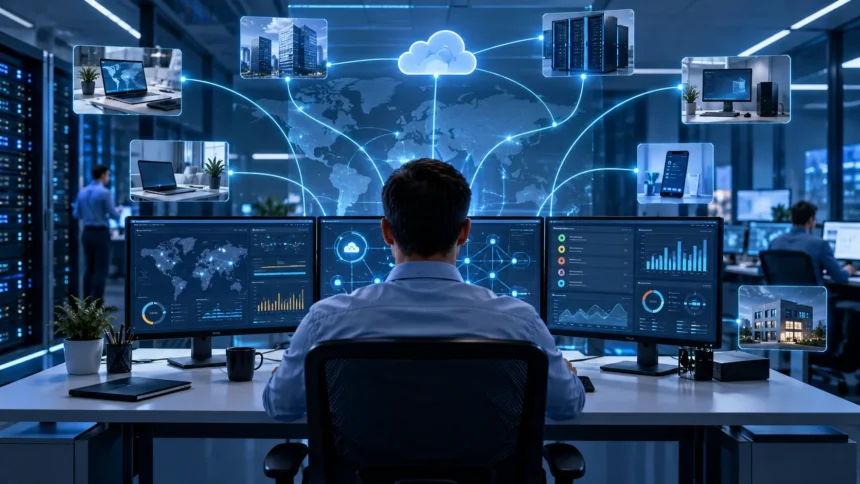
Remote Monitoring and Management, commonly called RMM, is a technology used by IT teams and managed service providers to monitor, maintain, and support computers, servers, networks, and other devices from a remote location. It allows technicians to identify problems, perform updates, and manage systems without being physically present at every workplace.
For businesses, RMM can reduce downtime, improve security, and make day-to-day technology management more efficient. Instead of waiting until an employee reports a problem, IT teams can receive alerts when something starts going wrong. This proactive approach helps organizations keep devices healthy while reducing the amount of manual work needed to support them.
What Is Remote Monitoring and Management?
Remote Monitoring and Management is a system that allows IT professionals to supervise and manage devices from a central platform. Software agents are usually installed on computers, servers, and other endpoints so technicians can collect information about device health. This gives IT teams visibility into systems without needing direct physical access.
An RMM platform can monitor processor usage, memory, storage space, network connectivity, operating system status, and many other technical conditions. When something moves outside a defined threshold, the software can automatically generate an alert. Technicians can then investigate the issue before it develops into a larger problem.
RMM is commonly used by managed service providers, internal IT departments, and organizations with employees working across several locations. It is particularly valuable when devices are distributed between offices, remote workers, and branch sites. Centralized monitoring makes it easier to manage a large technology environment consistently.
How Does RMM Work?
RMM usually works by installing a small software agent on each managed endpoint. This agent communicates with the central RMM platform and sends information about the device’s current condition. Administrators can then view important metrics, receive alerts, run scripts, and perform maintenance from one dashboard.
The monitoring agent can collect data continuously or at scheduled intervals depending on the configuration. If a device runs out of storage space, a service stops working, or a security update is missing, the platform can flag the problem. Some issues can even trigger automated actions without waiting for a technician.
Technicians can also use RMM tools to remotely access devices when hands-on troubleshooting is needed. Instead of traveling to an employee’s office, they may be able to inspect settings, restart services, install updates, or fix software problems remotely. This saves time and can shorten support response times.
What Can RMM Software Monitor?
RMM software can monitor the overall health of computers and servers by tracking processor load, memory usage, disk capacity, temperature, and operating system performance. These measurements help technicians understand whether a device is working normally. Sudden changes can provide early warning that hardware or software may be experiencing problems.
Network-related monitoring can include connectivity, device availability, internet status, and sometimes routers, switches, printers, or other network equipment. IT teams can receive alerts if an important device becomes unreachable or performance falls below an expected level. This helps reduce the amount of manual checking required throughout the day.
RMM platforms can also monitor software status, antivirus protection, backups, and operating system updates. Depending on the tool, administrators may see whether specific applications are running correctly or whether patches are missing. The exact monitoring capabilities vary based on the platform and how the organization configures it.
What Can IT Teams Do With RMM?
RMM tools allow IT teams to perform routine maintenance remotely. Technicians can install software, restart devices, apply operating system patches, update applications, and run scripts across multiple computers. Tasks that once required visiting individual machines can often be completed from a centralized management console.
Remote troubleshooting is another important capability. When an employee experiences a technical problem, a technician may connect to the computer and investigate the issue directly. This can help resolve common problems involving software, settings, updates, services, or system performance without requiring an on-site appointment.
Many platforms also support task automation. IT administrators can create rules that perform repetitive actions automatically when specific conditions are detected. For example, a script may clear temporary files when storage becomes low or restart a failed service after the monitoring system detects that it has stopped.
Why Is Remote Monitoring and Management Important?
RMM is important because businesses depend heavily on technology to complete daily work. A single computer failure may only affect one employee, while a server or network failure can interrupt an entire department. Continuous monitoring helps IT teams notice warning signs before problems create larger disruptions.
Proactive maintenance can also reduce the number of emergency support situations. Instead of reacting to repeated failures, technicians can identify unhealthy devices, missing updates, or unusual performance patterns earlier. This creates a more organized approach to technology support and helps businesses maintain a more stable IT environment.
Remote management is especially useful when organizations have employees in several locations. Supporting every device through physical visits would require considerable time and travel. RMM gives one IT team the ability to monitor and manage distributed systems from a single location, making support easier to scale.
How RMM Helps Reduce IT Downtime
Downtime often becomes more serious when nobody notices a developing problem. A server may slowly run out of disk space, a backup may stop completing successfully, or an important system service may fail. RMM alerts can notify technicians before these issues become obvious to employees.
Technicians can then investigate alerts and take corrective action before the situation causes a major interruption. In some cases, automated remediation can solve common problems immediately. Restarting a service, freeing storage space, or applying a configuration change may restore normal operation without waiting for an employee to submit a support ticket.
RMM cannot eliminate every outage because hardware can still fail unexpectedly and external services can become unavailable. However, improved visibility gives IT teams more information about system health. Faster detection and response can significantly reduce the amount of time certain technical problems remain unresolved.
RMM and Cybersecurity
Remote Monitoring and Management can support cybersecurity by helping IT teams maintain devices more consistently. RMM platforms may track whether operating system patches are installed, antivirus tools are active, and important services are running. Keeping endpoints updated can reduce exposure to known software vulnerabilities.
Some RMM platforms also integrate with endpoint security, backup, and security monitoring tools. These integrations give technicians a broader view of device health and protection status. Alerts can help identify systems that have outdated software, disabled security applications, or other conditions that may increase risk.
RMM itself also needs strong security because technicians can have powerful remote access to managed devices. Organizations should protect administrator accounts with strong authentication, restrict privileges, and keep the RMM platform updated. Poorly secured management tools can become attractive targets because they provide centralized control over many endpoints.
RMM vs Traditional IT Support
Traditional IT support often begins when an employee notices a problem and asks for help. A technician then investigates what happened and works to restore normal operation. This reactive approach can be effective for occasional issues, but it provides limited visibility into problems that employees have not yet noticed.
RMM takes a more proactive approach because devices are monitored continuously. IT teams can see warnings, performance changes, and missing updates before a user reports them. This does not remove the need for a help desk, but it gives support teams additional information that can make troubleshooting faster and more informed.
The strongest IT environments often combine both approaches. Employees still need a clear way to report problems, while RMM works quietly in the background monitoring systems. Together, proactive monitoring and responsive user support create a more complete technology management process.
RMM vs PSA Software
RMM software focuses mainly on monitoring and managing technical devices. It helps technicians track endpoint health, automate maintenance, deploy updates, and remotely troubleshoot computers. Its primary purpose is to provide operational control over the technology being managed.
Professional Services Automation, or PSA software, focuses more on the business and workflow side of IT service delivery. It can help manage support tickets, contracts, billing, scheduling, projects, and customer information. Managed service providers commonly use PSA platforms to organize how technical work is assigned and tracked.
RMM and PSA tools are often integrated because they serve complementary purposes. An RMM alert may automatically create a support ticket inside the PSA system, allowing technicians to track the issue through resolution. This connection helps service providers combine technical monitoring with structured service management.
Benefits of RMM for Small Businesses
Small businesses often have limited internal IT resources, making constant manual monitoring difficult. RMM allows a small IT team or external service provider to oversee many computers from one place. This can make professional technology management more accessible without requiring a technician to remain physically present in the office.
Automation is another major advantage for smaller organizations. Routine updates, maintenance tasks, and system checks can be scheduled instead of performed individually. Businesses comparing technology solutions can also explore suitable IT management tools to understand which platforms may support their daily operations.
RMM can also make technology costs more predictable when it is included within a managed IT service agreement. Regular monitoring and maintenance may reduce emergency repair situations and unexpected support requests. Small businesses still need appropriate hardware and security practices, but proactive management can make their overall IT environment easier to maintain.
What Features Should an RMM Tool Have?
A useful RMM platform should provide clear monitoring and alerting capabilities. Administrators need visibility into endpoint health, operating system status, storage, performance, and network connectivity. Alerts should also be customizable so technicians receive useful warnings rather than being overwhelmed by unnecessary notifications.
Patch management and automation are equally important. The platform should allow administrators to deploy operating system updates, run scripts, and schedule routine maintenance. Reliable remote access is also valuable because technicians need a secure way to troubleshoot devices when automated actions cannot resolve an issue.
Reporting, integrations, security, and usability should also be considered. A platform may need to connect with PSA software, antivirus tools, backup systems, or documentation platforms. Businesses should choose RMM software based on their environment, technical requirements, number of devices, support model, and available IT expertise.
Challenges and Limitations of RMM
RMM platforms can generate large numbers of alerts if they are not configured carefully. Too many low-priority notifications can create alert fatigue, making it harder for technicians to identify genuinely important problems. Thresholds, policies, and escalation rules need to be reviewed regularly to keep monitoring useful.
Security is another major concern because an RMM platform provides extensive administrative capabilities. If an attacker gains access to a highly privileged account, multiple managed devices could potentially be affected. Strong authentication, limited permissions, monitoring, and regular platform updates are therefore essential parts of responsible RMM use.
RMM also cannot replace every form of IT expertise. Monitoring tools may identify that a problem exists, but technicians still need knowledge to determine why it happened and how to fix it correctly. Physical hardware failures may also require someone on-site even when the initial diagnosis happens remotely.
How to Implement RMM Successfully
Start by identifying which devices and systems need to be monitored. Businesses should create an accurate inventory of computers, servers, network equipment, and critical applications. This helps administrators decide where RMM agents are needed and what types of alerts should be configured for each device.
Next, create practical monitoring policies instead of enabling every possible alert. Focus on conditions that have a real impact on security, stability, or employee productivity. Patch management, storage capacity, backup status, endpoint availability, and essential services are common areas where early warnings can provide meaningful value.
Finally, review the system regularly after implementation. RMM should evolve as the business adds devices, employees, software, and locations. Monitoring rules, automation scripts, security settings, and permissions should be adjusted whenever the IT environment changes so the platform continues to provide accurate and useful information.
Conclusion
Remote Monitoring and Management gives IT teams a centralized way to monitor, maintain, and support computers, servers, and other technology. RMM software can track device health, generate alerts, deploy updates, automate routine tasks, and provide secure remote access for troubleshooting.
The biggest advantage of RMM is its proactive approach. Instead of waiting for users to report every problem, technicians can identify issues earlier and sometimes resolve them before they cause significant disruption. This can reduce downtime, improve consistency, and make distributed IT environments easier to manage.
RMM works best when it is carefully configured and supported by skilled technicians, strong cybersecurity, and clear support processes. It is not a replacement for every aspect of IT management, but it can become a valuable foundation for businesses that want better visibility and more efficient technology support.
FAQs
What does RMM stand for?
RMM stands for Remote Monitoring and Management. It refers to software that allows IT professionals to monitor, maintain, and support computers, servers, and other devices remotely.
Who uses RMM software?
RMM software is commonly used by managed service providers, internal IT teams, and businesses with distributed devices. It is especially useful when employees work across multiple locations.
Is RMM the same as remote desktop software?
No. Remote desktop software mainly provides remote access to a computer, while RMM adds monitoring, alerts, patch management, automation, reporting, and other centralized device-management capabilities.
Can RMM improve cybersecurity?
RMM can support cybersecurity by monitoring patch status, security software, and device health. However, it must be securely configured and combined with other security tools and policies.
Do small businesses need RMM?
Small businesses can benefit from RMM when they rely on multiple computers but have limited IT resources. It can simplify monitoring, maintenance, updates, and remote technical support.