Email is one of the most important digital accounts most people have. It often connects to banking, shopping, social media, cloud storage, work platforms, and password-reset systems, which makes it an attractive target for cybercriminals. If someone gains access to your inbox, they may be able to reset passwords and take control of several other accounts.
Fortunately, protecting your email does not require advanced cybersecurity knowledge. Strong passwords, multifactor authentication, careful link checking, updated devices, and better phishing awareness can prevent many common attacks. The best email security habits are simple enough to use every day while still providing meaningful protection against account theft, scams, malware, and unauthorized access.
Understand Why Email Security Matters
Email accounts contain more sensitive information than many users realize. Messages may include invoices, travel details, password-reset links, private conversations, work documents, receipts, and personal information. Even if attackers do not find financial data directly, access to your inbox can help them gather enough information to impersonate you or target other accounts.
Cybercriminals frequently use stolen email accounts to send convincing scams to friends, coworkers, or customers. Because the messages appear to come from someone familiar, recipients may be more likely to trust links, attachments, or payment requests. One compromised mailbox can therefore create problems not only for the account owner but also for people connected to them.
Treat your primary email account as one of your most valuable online identities. Protect it at least as carefully as your banking and payment accounts, especially if it controls password recovery for other services. Improving email security first can strengthen the protection of many other accounts that depend on your inbox for verification and recovery.
Use a Strong and Unique Email Password
Your email password should be unique and never reused on another website. If the same password is exposed through a breach at an unrelated service, attackers may automatically try those credentials on popular email providers. This technique, known as credential stuffing, can turn one compromised account into several additional account takeovers.
Long passwords or passphrases are generally easier to make strong because they can contain more unpredictable characters. Avoid obvious choices such as birthdays, names, phone numbers, favorite teams, or simple patterns. A password manager can generate and securely store unique credentials so you do not need to memorize a complicated password for every online service.
Never share your email password through text messages, social media, or unexpected support conversations. Legitimate email providers should not need you to send your password to an employee. If someone claiming to represent a company asks for your full password, treat that request as a major warning sign and verify the situation independently.
Turn On Multifactor Authentication
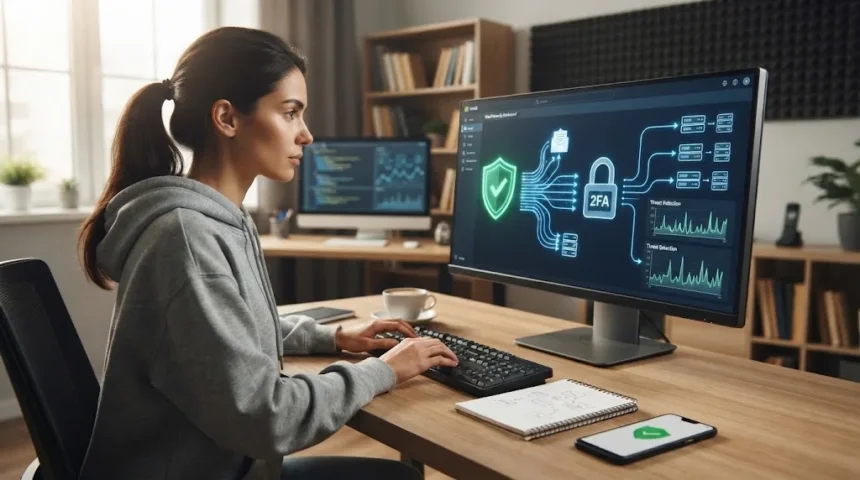
Multifactor authentication adds another verification step after your password. Depending on the provider, this may involve an authenticator app, device prompt, security key, passkey, or one-time code. If an attacker steals your password through phishing or another breach, the additional factor can make unauthorized access significantly more difficult.
Authenticator apps and hardware security keys can provide stronger protection than relying only on text-message codes in many situations. SMS authentication is still generally better than using a password alone, but phone numbers can sometimes be targeted through SIM-related attacks. Use the strongest authentication method your email provider supports and that you can manage reliably.
Store backup codes in a safe location in case you lose access to your primary authentication device. Do not keep the only copy inside the same email account the codes are intended to protect. Recovery planning matters because strong security should prevent criminals from accessing your inbox without accidentally locking you out permanently.
Learn to Recognize Phishing Emails
Phishing emails attempt to trick you into revealing passwords, payment details, verification codes, or other sensitive information. They often impersonate banks, delivery companies, government agencies, employers, online stores, or familiar technology services. Many use urgent warnings to make you react quickly before checking whether the message is actually legitimate.
Common phishing messages claim your account has been suspended, a payment failed, a package needs confirmation, or suspicious activity requires immediate action. Others use attractive offers such as refunds, prizes, job opportunities, or unexpected invoices. Both fear and excitement can push people into clicking before they carefully examine the email.
When a message creates unusual urgency, avoid using the included link. Open the company’s official application or type its known website address into your browser instead. If the warning is genuine, you can usually see the same issue after signing in directly without relying on a potentially fraudulent email.
Check Senders and Links Before Clicking
The sender name displayed in your inbox does not always prove who actually sent a message. Attackers can use familiar company names while sending from unrelated or slightly misspelled addresses. Expand the sender information and inspect the full email address, particularly when the message asks for money, passwords, account verification, or confidential information.
Links deserve the same careful attention. On a computer, hovering over a link can often reveal its actual destination before you click. On mobile devices, you may be able to press and hold a link to preview the address, although you should avoid accidentally opening it while trying to inspect the destination.
Watch for misspelled domains, unnecessary extra words, unusual domain endings, and addresses designed to imitate legitimate websites. A familiar company name appearing somewhere inside a long URL does not guarantee that the company owns the domain. When uncertain, navigate to the service independently instead of trusting the email link.
Be Careful With Email Attachments
Attachments are another common method for delivering malicious software. Attackers may disguise harmful files as invoices, delivery notices, resumes, contracts, receipts, or account statements. A document can appear ordinary while containing code, links, or instructions designed to persuade you to install malware or reveal sensitive information.
Do not open unexpected attachments simply because the sender appears familiar. Accounts can be compromised, and criminals may use a real person’s mailbox to distribute malicious files. If a coworker or friend sends something unusual without explanation, confirm with them through another communication method before opening the attachment.
Keep your antivirus software and operating system updated so known threats have a better chance of being detected. However, security software should support careful behavior rather than replace it. New or heavily modified malware may not always be identified immediately, so avoiding unnecessary downloads remains one of the strongest defenses.
Review Account Recovery and Security Settings
Recovery information determines how you regain access if you forget your password or someone attempts to take over your account. Check that your recovery email address and phone number are current and belong only to you. Remove old contact information that you no longer control because outdated recovery methods can become security weaknesses.
Review active sessions and devices associated with your email account periodically. Most major providers allow you to see where your account is signed in and remove devices you no longer recognize or use. An unfamiliar login does not always mean compromise, but it should be investigated rather than ignored.
Security notifications can also provide an early warning when something changes. Pay attention to alerts about new logins, password changes, forwarding rules, recovery updates, or unfamiliar devices. If an alert appears suspicious, access your account directly through the provider’s official website or application rather than clicking links inside the notification.
Keep Your Devices and Browser Updated
Email security depends partly on the device used to access your inbox. Outdated operating systems, browsers, and email applications may contain known vulnerabilities that attackers can exploit. Installing security updates promptly closes many of these weaknesses and reduces opportunities for malware or malicious websites to compromise your device.
Enable automatic updates when practical, especially for your browser and mobile operating system. Browser extensions should also be reviewed because unnecessary or poorly maintained extensions may gain access to browsing activity. Remove extensions you no longer need and avoid installing tools from unknown developers simply because they promise convenient email features.
Use a device screen lock with a strong PIN, password, or supported biometric protection. If your phone or laptop is lost, an unlocked device can expose your mailbox even when the email account itself has a strong password. Device security and account security should work together rather than being treated as completely separate problems.
Avoid Sensitive Email Use on Shared Devices
Public or shared computers can create additional risks because you do not control their software, browser settings, or security history. Avoid accessing important email accounts from hotel business centers, libraries, internet cafés, or other shared computers whenever possible. A compromised device could record credentials or leave sensitive information behind after you finish.
If using a shared device is unavoidable, never allow the browser to save your password. Sign out completely when finished and avoid downloading private attachments to the computer. Private or incognito browsing can reduce some local history, but it does not protect you from malware, keyloggers, or monitoring software installed on the machine.
Your own phone or laptop using mobile data is usually a better option for sensitive email activity. If you regularly travel, keep your devices updated and protect them with screen locks. Using hardware you control gives you much greater visibility into installed software and security settings than relying on an unfamiliar public computer.
Know What to Do After an Email Account Compromise
Act quickly if you believe someone has gained access to your email. Change your password from a trusted device, sign out unknown sessions, and enable multifactor authentication if it was not already active. Also review recovery details and security settings to make sure an attacker did not add their own phone number or alternative email address.
Check sent messages, deleted items, forwarding rules, filters, and automatic replies for changes you did not make. Attackers sometimes create hidden forwarding rules so copies of incoming messages continue reaching them even after the password is changed. Removing unauthorized settings is therefore an important part of recovering a compromised mailbox.
If your credentials were exposed in a data breach, change any reused passwords immediately and monitor connected accounts for suspicious activity. Inform contacts if your account sent fraudulent messages, especially when those messages contained links, attachments, payment requests, or attempts to collect personal information.
Build Better Everyday Email Habits
Good email security depends more on consistent habits than occasional complicated actions. Take a few seconds to inspect unexpected messages before clicking links or opening attachments. Small delays are especially valuable when an email is designed to create panic, urgency, curiosity, or pressure around money and account access.
Separate email addresses can also reduce exposure in some situations. You might use one address for important financial and personal accounts and another for newsletters, promotions, online competitions, or less important registrations. This does not guarantee security, but it can reduce the volume of unnecessary messages reaching your most sensitive inbox.
Delete accounts and subscriptions you no longer use, and avoid publishing your primary email address unnecessarily. The less widely an important address is shared, the fewer opportunities scammers have to target it directly. Combine these habits with strong authentication and careful browsing to create a practical email security routine you can maintain every day.
Conclusion
Email security starts with protecting the account that connects many parts of your digital life. A strong unique password, multifactor authentication, updated recovery information, and regular account reviews can make unauthorized access significantly harder. These basic protections are useful whether you use email mainly for personal communication, shopping, banking, or professional work.
Careful behavior remains equally important because many attacks depend on convincing users to click rather than breaking technical security systems. Check senders, inspect links, question unexpected attachments, and avoid acting immediately when a message creates unusual urgency. When in doubt, contact the organization independently or access your account through its official application.
No single security tool can eliminate every email threat, but several simple defenses working together can reduce risk substantially. Keep devices updated, monitor security alerts, avoid risky shared computers, and respond quickly when suspicious activity appears. Consistent everyday habits are often the difference between ignoring a scam and accidentally giving an attacker access to your most important account.
FAQs
What is the most important email security tip?
Use a strong, unique password together with multifactor authentication. This combination makes account takeover much harder, especially if your password is exposed through phishing, credential theft, or an unrelated breach.
How can I tell if an email is phishing?
Look for unusual urgency, suspicious sender addresses, unexpected attachments, strange links, and requests for passwords or payment details. Verify important messages through the company’s official website or application before taking action.
Is it safe to open an email from an unknown sender?
Simply viewing a modern email is usually lower risk than clicking its links or opening attachments. Still, avoid interacting with suspicious messages and never provide personal information without independently verifying the sender.
What should I do if I clicked a suspicious email link?
Close the page and avoid entering information. If you submitted a password, change it immediately from the legitimate website, enable multifactor authentication, and review recent account activity for unfamiliar logins.
How often should I change my email password?
You do not need to change a strong unique password on a fixed schedule unless there is a reason. Change it promptly if you suspect compromise, reuse, phishing exposure, or a relevant security breach.