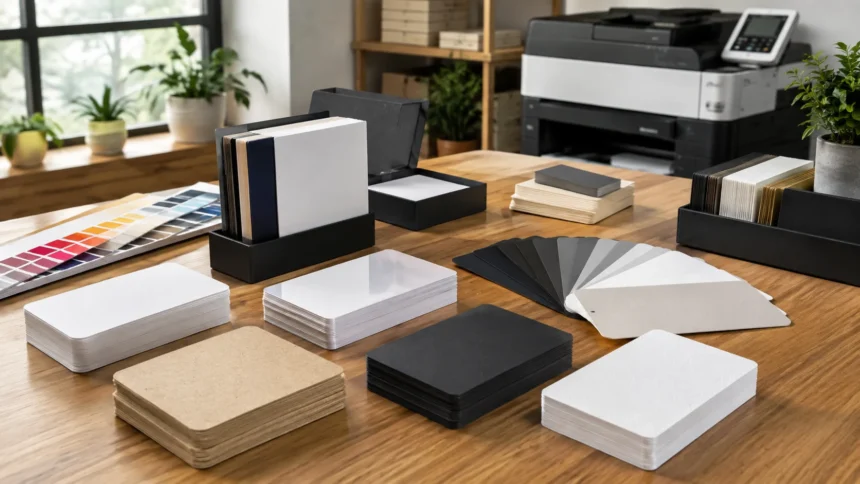
Where to Print Business Cards: Best Options for Quality, Price & Speed
Knowing where to print business cards can make a noticeable difference in how professional your finished cards look and how much you spend. Today, you can order business cards from online printing companies, office-supply stores, local print shops, design platforms, and same-day copy centers. Each option has different advantages depending on whether your priority is low cost, premium paper, quick turnaround, custom finishes, or hands-on design assistance. Choosing the right printer therefore starts with understanding how many cards you need and what kind of impression you want your brand to create.
Online business card printing is often convenient because you can upload your own design, customize a template, select paper and finishes, and place the entire order from home. Major services currently offer everything from basic standard cards to specialty options such as thicker stock, rounded corners, foil, and alternative shapes. VistaPrint, MOO, Canva, GotPrint, Staples, and FedEx Office are among the widely available services offering business-card printing in different formats.
Local printing companies remain another strong choice, particularly when you want to inspect paper samples, discuss colors, request a custom size, or establish an ongoing relationship with a nearby supplier. Local printers may also help businesses that need coordinated materials such as business cards, letterhead, menus, brochures, presentation folders, or event materials. Service, pricing, and capabilities vary considerably by shop, so obtaining a proof and written quote can make comparing local providers easier before placing a larger order.
Speed matters as well. If you suddenly realize that you need business cards for a networking event tomorrow, waiting several days for shipping may not be practical. Some office and copy-printing services offer quick or same-day pickup on eligible business card products. FedEx Office currently says most Quick Business Card orders can be ready the same day or within 24 hours for in-store pickup, while Staples provides in-store pickup on selected business card options.
Where Can You Print Business Cards?
You can print business cards through several types of providers, and the best one depends on your budget, deadline, quantity, and design requirements. Online printing companies are useful when you want a broad range of templates and paper choices without visiting a store. Local printing shops can provide more personal assistance, while office-supply and shipping centers are convenient when speed matters. Design platforms can be particularly attractive when you still need to create the card before ordering physical copies.
Dedicated online printers are often a good starting point because business card production is one of their core services. VistaPrint currently allows users to choose templates or upload their own designs, while MOO offers multiple business card styles and premium paper options. GotPrint also provides customizable templates and several card formats. These services make it possible to complete the design, proofing, paper selection, quantity choice, and ordering process through one website.
Office-supply stores and print centers are useful when you prefer the possibility of local pickup. Staples currently offers business cards with different stocks and finishes, while FedEx Office offers Quick and Premium business card categories. The Quick option is particularly geared toward faster turnaround, while Premium cards provide additional shapes, stocks, and finishing choices. This makes store-based providers useful when you want a balance of online ordering and physical pickup or printing support.
Canva provides another approach because it combines an easy-to-use design platform with printing. You can start with a business card template, customize fonts, colors, logos, and contact details, and then order the finished design through Canva Print. It currently provides different paper, finish, and shape choices depending on region and product. This can be convenient for small-business owners who do not already have a print-ready graphic design and want to handle both creation and printing in one workflow.
Print Business Cards Online for Convenience
Online printing is one of the easiest ways to order professional business cards because you can manage the entire process without visiting a physical store. You typically choose a card size, upload your artwork or customize a template, select paper stock, decide whether the card will be printed on one or both sides, and review a digital proof. Once the order is approved, the cards are produced and delivered. This approach is particularly convenient for businesses that already have a finalized logo and brand design.
Online printers also provide access to more finishing options than many basic walk-in print counters. Depending on the service, you may find matte, gloss, soft-touch, textured, extra-thick, rounded, foil, or specialty options. FedEx Office, for example, currently lists premium choices including matte, glossy, soft-touch, linen, pearlized, color-core, foil, and raised-print options. MOO offers premium card categories including its Luxe line, while VistaPrint offers multiple specialty card and paper choices.
Another advantage is the ability to compare different quantities before ordering. Smaller batches can be helpful if your phone number, job title, website, offer, or branding may change soon. Larger batches can be more economical when you expect to distribute cards regularly and the information is unlikely to change. Some online services allow relatively small starting quantities; VistaPrint’s current standard card page, for instance, advertises ordering beginning at 50 cards.
The main disadvantage of ordering online is that you cannot always judge paper thickness or finish accurately from a screen. Colors can also appear differently when printed than they do on a monitor. If physical feel matters significantly to your brand, consider ordering a small quantity first or requesting paper samples when available. GotPrint, for example, currently offers a sample kit containing examples of paper stocks and printed products. Testing before a major order can help prevent disappointment with thousands of finished cards.
Use VistaPrint for Flexible Business Card Printing
VistaPrint is one of the most recognizable online options for people researching where to print custom business cards. Its current business card service allows customers to begin with existing templates or upload their own design. Standard business cards are available alongside specialty paper and finishing options, making the platform suitable for freelancers, entrepreneurs, small businesses, and established companies that need straightforward branded cards without working directly with a commercial print shop.
The platform can be particularly useful for someone who already has a completed design but still wants flexibility in card configuration. Business information, logos, images, and other elements can be incorporated into the card before ordering. VistaPrint currently markets standard business cards starting at quantities of 50, which can be helpful when you want to test a new design or do not need several hundred cards immediately.
VistaPrint also offers broader printed marketing materials, which can be useful when you eventually need more than business cards. Keeping cards, signage, promotional products, and other branded items within one printing ecosystem can simplify repeated ordering for some businesses. However, you should still compare the final checkout total, paper quality, production speed, and shipping options with competing providers because the best value can change depending on the specifications of an individual project.
For a basic business card, there is often no need to select every available upgrade. A clean design printed on suitable standard or premium stock may look more professional than a cluttered card covered with unnecessary special effects. Spend money on finishing when it genuinely supports your brand position. A luxury consultant may benefit from thicker or specialty stock, for example, while a local service business distributing hundreds of cards may value affordability and readability more than unusual materials.
Choose MOO for Premium and Creative Business Cards
MOO is another online printer worth considering when the physical appearance and feel of the business card are especially important. Its current product range includes standard business cards, square cards, MiniCards, QR-code business cards, and Luxe options. MOO also offers several paper categories designed for users who want something more distinctive than a basic mass-distributed card. This can make it attractive to designers, consultants, creative professionals, premium service providers, and brands that treat the business card itself as part of the customer experience.
One distinctive feature promoted by MOO is Printfinity, which lets customers place different designs on individual cards within an eligible order. This can be useful for photographers displaying different images, designers showing portfolio examples, or businesses promoting multiple products while keeping consistent information on the opposite side. It is a more specialized feature than many professionals need, but it demonstrates why MOO tends to appeal to people who want business cards to function as creative marketing pieces rather than simple contact cards.
Premium printing makes the most sense when recipients are likely to handle and remember the card. If you work in luxury real estate, architecture, design, photography, consulting, branding, or another high-value service, an unusual texture or heavier stock can reinforce your positioning. However, premium paper cannot rescue weak information hierarchy or a confusing design. Your name, company, service, phone number, email, website, and relevant call to action should remain easy to find regardless of how impressive the material feels.
Cost should also be considered alongside brand impact. Premium cards are usually most useful when you distribute them selectively rather than leaving hundreds on counters where many may be discarded. If your business hands out thousands of cards every month, a simpler stock may provide better economics. A practical strategy can even involve maintaining premium cards for important meetings while using standard cards for large events, promotions, or everyday distribution where quantity matters more than luxury finishing.
Print Business Cards at Staples for Convenient Pickup
Staples can be a useful option when you want business cards from a familiar office-supply printing provider with store pickup available on selected configurations. Its current business card range includes standard and premium paper choices and multiple finishes. At the time of writing, Staples lists options such as standard 14pt gloss and premium 16pt products, along with several more specialized stocks. Availability and turnaround can differ between pickup and delivery products, so individual specifications should be checked before ordering.
The biggest advantage of a store-based service is convenience when you have a short deadline. Instead of waiting for a shipment to reach your home or office, eligible orders can be collected locally. This can be especially useful before conferences, local networking events, trade shows, interviews, grand openings, or sales appointments. However, urgent printing usually gives you less time to detect design mistakes, so review names, phone numbers, website addresses, email addresses, and QR codes carefully before submitting the order.
Staples can also make sense when your business regularly needs additional print materials. Business cards may be only one part of your marketing requirements, with flyers, brochures, signs, labels, presentations, or stationery needed later. Using one print provider for several everyday materials can simplify ordering and create greater consistency when specifications are managed carefully. Staples currently markets both business cards and broader print and marketing services through its printing operation.
Before selecting a card, think about whether you need to write on it. A high-gloss surface can create strong color and shine, but Staples itself notes that glossy finishes can be harder to write on. This matters for professionals who add appointment times, personal notes, quotations, or referral information before handing a card to someone. Matte, uncoated, linen, or other writable stocks may be more practical in those situations even if they provide a less reflective appearance.
Use FedEx Office for Fast Business Card Printing
FedEx Office is particularly useful when your priority is fast turnaround combined with the option to upload a design online. Its Quick Business Cards currently come in the standard 3.5-by-2-inch size with full-color printing, single- or double-sided options, and in-store pickup. FedEx says most Quick Business Card orders are ready the same day or within 24 hours, although actual timing can vary by store, order details, and volume.
This makes FedEx Office practical when an unexpected business opportunity appears and you discover that your existing cards are outdated or almost gone. You can upload an existing print-ready design or customize a template and select local pickup where available. The convenience can outweigh having fewer finishing options compared with a slower premium product. For a networking event occurring the next morning, receiving professional cards quickly may be more valuable than waiting a week for specialty foil or unusual paper.
FedEx Office also provides Premium Business Cards when speed is less important and you want more creative options. Its current premium line includes multiple sizes and shapes as well as cardstock and finishes such as soft-touch, magnetic, color core, vellum, linen, pearlized, foil, and raised printing. These premium products are shipped rather than positioned as the quick in-store option. The distinction makes it easier to choose between immediate convenience and greater customization.
If you choose fast printing, carefully inspect your uploaded file before ordering. Rush production cannot compensate for a low-resolution logo, incorrect bleed, text positioned too close to the edge, or a typo in your email address. Ideally, keep a print-ready version of your business card stored in cloud storage so you can reorder quickly whenever necessary. This simple preparation prevents emergency printing from turning into emergency redesign and makes local pickup services considerably more useful.
Design and Print Business Cards With Canva
Canva can be an appealing choice when you need both a business card design and printing service. Its business card tools provide editable templates for different industries and styles, allowing users to customize names, company information, logos, colors, fonts, images, and other elements without traditional graphic-design software. Once the design is complete, Canva Print can produce physical cards and send them to the customer, with available paper, finish, and shape options varying according to the product and region.
This integrated workflow is useful for new entrepreneurs who do not have an existing brand designer. Instead of creating the card in one platform, exporting files, checking printer specifications, and uploading them elsewhere, you can handle much of the process within one environment. Canva also saves designs to the user’s account, making later edits to details such as a phone number, job title, or website easier before the next print order.
Canva can also help if you plan to use a QR code on your business card. Its platform includes a QR-code generator that can be incorporated into card designs. A QR code can direct recipients to a website, portfolio, booking page, digital profile, menu, or other online destination. However, the code needs enough physical size and contrast to scan reliably. Always test it from the finished proof and, ideally, from a physical printed sample before producing a very large quantity.
The main design risk is using a popular template without enough customization. If hundreds of businesses select the same layout, your card may look generic even when it is technically attractive. Modify typography, colors, spacing, imagery, and brand elements so the design reflects your business identity. Templates are best treated as starting points rather than finished branding systems. A simple customized card that clearly communicates what you do can be more effective than an elaborate template that looks impressive but feels unrelated to your company.
Consider GotPrint for Affordable Bulk Business Cards
GotPrint is another option for business owners comparing online printing services, particularly when looking for different card formats and larger quantities. Its business card service provides an online design tool, templates, multiple paper stocks, and the ability to upload custom artwork. The company currently offers the standard 2-by-3.5-inch format along with additional dimensions and styles, including square and folded cards.
Bulk printing can become attractive when you distribute business cards frequently. Sales teams, real estate professionals, contractors, service businesses, restaurants, trade-show exhibitors, and local organizations may hand out hundreds of cards over time. In these situations, cost per card matters more than it does for someone who gives away only twenty premium cards per year. Compare quantities carefully because moving to a larger order can reduce unit costs but can also create waste if your information changes before the cards are used.
GotPrint currently provides a free sample-kit option containing examples of paper stocks and printed marketing materials. Sample kits can be particularly helpful when comparing printers because terms such as gloss, matte, thickness, and coating are easier to understand when you can physically handle them. A screen cannot communicate stiffness, surface texture, or how light reflects from a finish.
Before ordering a large quantity from any bulk printer, review the proof at high zoom and verify every detail. Check that your logo has sufficient resolution, colors are appropriate, and no text falls outside the safe area. Also consider whether the information is likely to remain accurate long enough to use the quantity ordered. Saving a few dollars per hundred cards is not useful if half the shipment becomes obsolete because you change your office location, domain, title, or phone number.
Use a Local Print Shop for Personalized Service
A local print shop can be one of the best places to print business cards when you want direct communication with the printer. Instead of choosing every specification from online menus, you may be able to bring in your design, examine physical stocks, discuss finishes, and receive guidance about preparing the artwork correctly. The quality and capabilities of independent shops vary widely, so compare examples of previous work and ask for a written estimate before committing to an important or high-volume project.
Local printers can also be helpful when your card requires unusual specifications. Custom sizes, specialty stocks, particular finishing processes, exact brand-color requirements, or coordinated stationery may be easier to discuss directly with a printing professional. Commercial print shops may have access to production methods different from basic office-store printing, although specific capabilities depend entirely on the business. When branding consistency matters, ask how color will be managed and whether a physical proof is available before final production.
Another benefit is the potential for an ongoing business relationship. Once a printer understands your company’s logo, colors, preferred paper, and print specifications, future projects can become easier. The same provider might eventually produce business cards for new employees as well as brochures, presentation folders, invitations, signs, menus, or other branded materials. This consistency can be valuable for businesses that frequently purchase print products and want one supplier familiar with their standards.
Local printing may not always be the least expensive option, particularly for highly standardized bulk jobs that large online printers can combine efficiently. However, the additional service can justify the difference when mistakes would be expensive or your project requires customization. Compare total value rather than unit price alone. Proofing assistance, faster local communication, delivery flexibility, and the ability to inspect materials before ordering may make a slightly higher price worthwhile for an important professional card.
Where to Print Business Cards Same Day
If you need business cards immediately, begin with print centers that explicitly provide local pickup rather than standard online printers that depend on shipping. FedEx Office currently advertises Quick Business Cards with many orders available the same day or within 24 hours for local pickup. Staples also provides in-store pickup on eligible business card products. Availability can depend on the specific store, order quantity, paper selection, and current workload, so check the promised completion time before submitting payment.
Local independent print and copy shops may also provide same-day service, particularly for standard cards printed digitally on stock they already have available. Calling the shop directly can sometimes reveal faster options than submitting an online quote request. Explain the quantity, finished size, number of printed sides, preferred stock, and when you need the cards. If you already have a correctly prepared PDF, production may be easier than when the printer also needs to repair or recreate your design.
For emergency printing, simplify your specifications. Standard dimensions, common cardstock, straight corners, and flat full-color printing can generally be produced more quickly than foil, embossing, unusual die-cut shapes, or specialty materials. A clean standard card ready before tomorrow’s trade show is far more useful than a luxury card that arrives after the event. You can always order a premium batch afterward once the urgent need has passed.
Keep an emergency print file prepared in advance. Ideally, it should include proper bleed, high-resolution graphics, outlined or embedded fonts where required, and enough safe space around important text. Store both the editable source file and print-ready PDF somewhere accessible. If your cards run out unexpectedly while traveling or preparing for an event, having a finished file means you can concentrate on finding the fastest printer rather than spending several stressful hours recreating the design.
What Type of Business Card Paper Should You Choose?
Paper stock has a major influence on how a business card feels when someone picks it up. Thin cards can feel economical, while heavier stock often creates a more substantial impression. However, thickness should match the purpose and budget. Someone distributing hundreds of promotional cards may prefer a reliable standard stock, while a premium consultant or luxury brand may choose extra-thick paper. Large printing providers currently offer everything from standard cards to thicker and specialty stocks, showing how widely business-card materials can vary.
Matte finishes are versatile because they create a smooth, understated appearance and can often make text easy to read under different lighting. Gloss can increase shine and make colors appear more vivid, which may suit image-heavy designs. However, glossy surfaces can be more difficult to write on, an issue specifically noted in Staples’ current product information. Consider whether clients or employees will ever need to add handwritten notes before choosing the finish.
Soft-touch, linen, pearlized, color-core, textured, or other specialty papers can help create a distinctive tactile experience. FedEx Office currently includes several of these materials within its Premium Business Cards range, while MOO markets higher-end paper options through its premium categories. Specialty stock works best when it supports your brand rather than being selected simply because it is different.
Before paying extra, ask yourself what recipients need from the card. A photographer might benefit from excellent reproduction of portfolio images, while an attorney may prefer restrained typography on substantial matte stock. A restaurant could use a card that doubles as a loyalty or contact tool, while a tradesperson may prioritize durability and readability. Paper selection should support function, brand positioning, and distribution rather than being treated as an isolated design decision.
Matte vs. Glossy Business Cards
Matte business cards generally have a less reflective appearance and can create a sophisticated, clean look. They are particularly effective for cards relying heavily on typography, minimal layouts, or muted brand colors. Reduced glare can make small contact information easier to read under bright office or event lighting. Matte surfaces may also be more practical when you regularly write appointment details or personalized notes on cards, although writability still depends on the exact coating and stock selected.
Glossy business cards use a shinier surface that can enhance contrast and make photographs, logos, and saturated colors appear more vibrant. This can work well for photographers, designers, restaurants, real estate professionals, travel companies, or other businesses using visually rich imagery. Staples currently offers both gloss-oriented and matte-oriented card products, while other major printers provide similar finish choices.
The disadvantage of gloss is reflection and reduced writability. Bright overhead lighting may create glare, and some pens do not write cleanly on coated surfaces. If you frequently add referral notes, appointment dates, discount codes, or personal messages, test the finish before committing to a large quantity. One practical compromise is using a glossy image-heavy front with a more writable back when the printer provides that configuration.
Neither finish is automatically more professional. A matte card can look luxurious or inexpensive depending on stock and design, and the same is true for gloss. Focus on how the finish supports your brand identity and information. If your design includes subtle typography and elegant whitespace, matte may feel natural. If the card features a strong photograph or vibrant artwork, gloss may provide the visual impact you want. Always compare physical samples when the decision significantly affects a large print order.
What Information Should Be on a Business Card?
A business card should communicate who you are and how someone can contact you without forcing the recipient to search through unnecessary information. At minimum, most professional cards include a person or business name and an appropriate contact method. Depending on your role, you may add a job title, logo, phone number, email address, website, physical location, social profile, or short description of what the company does. The exact content should reflect how you want people to respond after receiving the card.
Avoid trying to place every available piece of information onto a small card. Too much text reduces readability and weakens the hierarchy of important details. If your company has numerous services, use a website or QR code rather than listing every service in tiny type. Canva currently provides QR-code tools within its design platform, illustrating how physical cards can connect recipients to larger digital destinations without overloading the printed surface.
Your website can often serve as the central destination because it can contain services, testimonials, portfolio examples, social links, booking information, and detailed contact options. This allows the physical card to remain simple. For service businesses, adding a short value proposition can also help the recipient remember why they met you. A phrase describing your specialty may be more useful than a decorative slogan that provides no information about what the business actually does.
Double-check every detail before printing. A wrong phone digit or misspelled email address can make an entire batch useless. Test URLs and scan QR codes using more than one phone when possible. If employees receive individualized cards, confirm titles and preferred contact details with each person before ordering. Proofreading is particularly important on short documents because every error is highly visible and there is very little surrounding context to help recipients recognize what the information should have said.
How to Prepare a Business Card File for Printing
A print-ready file should follow the specifications provided by the printer you choose. Standard U.S. business cards are commonly produced at 3.5 by 2 inches, although alternative sizes are available. FedEx Office’s Quick cards currently use this standard dimension, and GotPrint offers the similar 2-by-3.5-inch format along with other shapes and sizes. Always use the printer’s actual template rather than assuming every company handles bleed and trimming identically.
Bleed refers to artwork that extends beyond the final cut edge so small variations in trimming do not create unwanted white borders. Important text and logos should stay inside a safe area away from the cut line. The exact bleed and safety requirements vary by printer, so download the provider’s template when available. GotPrint, for example, maintains downloadable templates specifically for customers preparing their own artwork.
Image quality also matters. Logos, photographs, and other graphics should have enough resolution for sharp printing at the final card size. Images copied from small websites or screenshots may appear acceptable on a monitor but become blurry or pixelated when printed. Vector logo files are particularly useful because they can scale cleanly. If you are uncertain, ask the printer whether your artwork passes its quality checks before producing a large batch.
Finally, proof the card at actual size as well as zoomed in. Zooming helps you catch technical problems, while viewing it at approximately real physical dimensions shows whether the text is comfortable to read. Print a test on your own printer if possible and cut it to size. Hold it like a real card and see whether the hierarchy works. The design may look spacious on a large monitor but feel unexpectedly crowded once reduced to a small physical rectangle.
How Much Should Business Card Printing Cost?
Business card printing prices vary widely because quantity, card thickness, finish, number of printed sides, specialty effects, production speed, and shipping all influence the final amount. Standard cards printed in larger batches usually cost less per card than premium products ordered in very small quantities. Current published pricing demonstrates this variation: Staples lists different starting prices for several stock levels, while FedEx Office prices quick cards on a per-card basis and premium products separately.
Do not compare providers using the headline price alone. One company may advertise an inexpensive base card but charge more for thicker paper, double-sided printing, rounded corners, faster production, or shipping. Another service may have a higher initial price but include features you were going to add anyway. Build the same card specifications on several platforms and compare the final checkout totals whenever budget is a major concern.
Quantity can change the economics substantially. Larger print runs may reduce the cost per card, but they also increase the risk of waste. If your business is new, avoid ordering thousands of cards before you know your branding and contact information will remain stable. Starting with a smaller quantity gives you an opportunity to see how the cards perform in real networking situations and make changes based on feedback before committing to a much larger batch.
Think about business cards as a marketing expense rather than simply a printing expense. A slightly higher-quality card may be worthwhile if you give it to high-value prospects and it reinforces your positioning. Conversely, spending heavily on luxury materials provides little value if the cards are handed out indiscriminately and rarely lead to conversations. Choose a budget that reflects how the card will be distributed, what an average customer is worth, and how important tactile branding is within your industry.
Common Mistakes When Printing Business Cards
One of the biggest mistakes is ordering a large quantity before checking a physical sample. Colors, paper feel, coating, thickness, and small text may look different in print than they appeared on your monitor. If the printer allows a small order or provides sample materials, take advantage of that option when quality is especially important. MOO and GotPrint, for example, currently provide ways to explore sample or premium paper options before committing heavily.
Another mistake is choosing a printer only because it has the lowest advertised price. Cheap cards can be entirely appropriate for many businesses, but compare specifications rather than assuming every basic product is identical. Paper thickness, color reproduction, finishing, shipping, turnaround time, and customer support can change the overall value. Saving a few dollars is not worthwhile if the finished card does not represent your business professionally or arrives after the event where you planned to use it.
Design errors are equally damaging. Text that is too small, insufficient contrast, cluttered layouts, low-resolution logos, and contact information positioned too close to trimming edges can make professional printing look amateurish. Keep the design simple enough that someone can understand it within a few seconds. Business cards are not miniature brochures. Their primary job is to reinforce your identity and give someone an easy way to continue the relationship after a meeting or introduction.
Finally, avoid treating a business card as permanent. Your role, website, branding, phone number, services, and social channels can change. Review the information every time you reorder rather than automatically printing an old file. This is another reason smaller batches can be smart for new businesses. It is better to reorder current cards periodically than to continue distributing hundreds of outdated cards simply because you paid for them months earlier.
Final Answer: Where to Print Business Cards
So, where to print business cards depends on what you value most. For convenient online ordering and a wide range of options, services such as VistaPrint and GotPrint provide standard and customizable business-card printing. MOO is worth considering when premium paper and distinctive presentation matter. Canva combines card design and physical printing, making it useful when you need help creating the artwork as well as producing the finished cards.
If speed is your biggest concern, store-based printing may be more practical. FedEx Office currently offers Quick Business Cards with many eligible orders ready the same day or within 24 hours for local pickup, while Staples offers pickup on selected business card products. These services are particularly useful when you have an upcoming networking event or meeting and cannot wait for a standard delivery window.
A local print shop may be the strongest choice when you want personal advice, unusual specifications, exact brand requirements, or the ability to inspect physical materials before production. Independent printers can also be valuable for businesses building a long-term relationship with one supplier for several types of marketing materials. Compare the quote, paper quality, turnaround, proofing process, and examples of finished work before making your decision rather than choosing solely according to location.
Whichever printer you select, prepare your design carefully and order according to your actual needs. Choose readable typography, accurate contact information, appropriate paper, and a finish that supports your brand. Test QR codes and website links, review the proof, and avoid ordering an unnecessarily large quantity before the design is proven. The best place to print business cards is ultimately the provider that gives you the right combination of quality, speed, customization, reliability, and price for your business.
Frequently Asked Questions
Where is the best place to print business cards?
The best provider depends on your needs. VistaPrint and GotPrint offer convenient online printing, MOO focuses strongly on premium options, while FedEx Office and Staples can be useful when local pickup matters.
Where can I print business cards the same day?
FedEx Office says most eligible Quick Business Card orders can be ready the same day or within 24 hours for in-store pickup. Local print shops and selected Staples options may also provide fast pickup depending on availability.
Can I design and print business cards with Canva?
Yes. Canva provides customizable business card templates and Canva Print, allowing you to create the design and order physical cards from the same platform.
Is matte or glossy better for business cards?
Neither is universally better. Matte works well for clean, understated designs and can be easier to read or write on, while gloss can enhance photographs and strong colors.
How many business cards should I print?
Start with a smaller batch if your branding or contact information may change soon. Larger quantities make more sense when you distribute cards frequently and are confident the design will remain current.